
The SPU E-Learning Portal is an important online learning resource for students of St. Paul’s University (SPU) in Kenya. It supports digital education by helping students access learning resources, engage with their courses, and stay connected with their academic activities. Online learning platforms are especially useful for students who need flexibility while balancing their studies with work and other responsibilities.
Students should understand that St. Paul’s University provides separate online services for student administration, e-learning, and examinations. The student portal at students.spu.ac.ke displays a login form that requests a registration number and password, along with a password recovery option. The university also lists its E-Learning Portal separately on its official website.
In this guide, we explain how to access the SPU E-Learning Portal, log in to your account, use its learning resources, and resolve common login problems.
What Is the SPU E-Learning Portal?
The SPU E-Learning Portal is an online learning service associated with St. Paul’s University. It supports the university’s digital learning environment, where students can access course-related resources and participate in learning activities according to their programmes and course requirements.
The university’s distance-learning approach uses online learning materials and encourages communication between students and instructors. Its e-learning platform forms part of the wider virtual campus experience, helping students continue their education beyond the traditional classroom.
The portal is particularly relevant to distance-learning students, although the learning tools and services available to each student may depend on their programme and course registration.
SPU E-Learning Portal Login Link
Students can begin by visiting the official university website and selecting the appropriate student or e-learning service.
Useful official links:
- Student Portal: https://students.spu.ac.ke/
- Official SPU Website: https://www.spu.ac.ke/
Use the university’s official website to locate the correct e-learning link if you need access to course materials rather than student administration services.
How to Log In to the SPU Student Portal
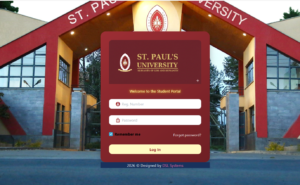
Follow these steps to access the SPU student portal:
- Open a web browser on your computer, tablet, or smartphone.
- Visit the official SPU Student Portal.
- Locate the login form on the page.
- Enter your registered student number in the Reg. Number field.
- Type your password into the password field.
- If you are using a personal device, select the Remember me option if appropriate.
- Click Log In to submit your details.
- After successful authentication, follow the available options to access your student account.
Make sure your registration number and password are correct before submitting the form. If you need course materials, assignments, or other learning resources, confirm that you have opened the e-learning service rather than the general student administration portal.
How to Access the SPU E-Learning Portal
To find the e-learning service, visit the official St. Paul’s University website. Look for the E-Learning Portal link in the university’s navigation menu or academic resources section.
Once you reach the appropriate platform, use the login instructions provided there. Your e-learning credentials and access permissions should be confirmed through the university if you cannot sign in.
After logging in, check the available course areas and follow your lecturers’ instructions for accessing learning materials, completing coursework, and participating in online academic activities.
Main Features of the SPU E-Learning Portal
The exact features available may vary by course and student access level. However, the university’s distance-learning model identifies several important functions of its online learning environment.
1. Online Learning Materials
The e-learning environment supports access to digital study materials. Depending on your course, these may include lecture notes, reading resources, presentations, and other materials shared by instructors.
2. Course Communication
Online learning enables students and instructors to maintain contact beyond the classroom. Students should check the communication tools and course announcements available through their assigned learning platform.
3. Assignments and Continuous Assessment
Students may receive coursework instructions and assessment information through their learning environment. Always check deadlines, submission requirements, and lecturer announcements carefully.
4. Flexible Learning
Online learning can help students study from different locations and organise their study schedules around other commitments, subject to their course requirements and academic calendar.
5. Support for Distance Learning
SPU’s distance-learning model incorporates online resources and academic interaction. This helps students remain engaged with their programmes even when they cannot regularly attend in-person classes.
SPU Student Portal vs. E-Learning Portal
Students should understand the difference between these services to avoid using the wrong login page.
| Feature | Student Portal | E-Learning Portal |
|---|---|---|
| Main purpose | Student administration | Online learning |
| Typical use | Student account and academic records | Course resources and learning activities |
| Access | Dedicated student login page | Separate e-learning service |
| Login details | Registration number and password on the student portal | Follow the credentials and instructions for the e-learning platform |
| Official access | students.spu.ac.ke | Find the E-Learning Portal through spu.ac.ke |
The university may provide additional services through its other portals, including a dedicated examination portal. Always select the service that matches your task.
How to Recover a Forgotten SPU Portal Password
If you cannot remember your student portal password, you can use the password recovery option available on the login page.
Follow these steps:
- Visit the SPU Student Portal.
- Click Forgot password?
- Enter your student registration number when requested.
- Follow the instructions displayed by the system to reset your password.
- Return to the login page and try signing in with your updated credentials.
If the password reset process does not work, contact the university’s support team for assistance. Never share your password with another person.
Common SPU E-Learning Portal Login Problems
Students may occasionally experience difficulties when trying to access the online learning platform. The following suggestions can help resolve common issues.
Incorrect Registration Number or Password
Check your registration number for typing errors and ensure that you are using the correct password. If you have forgotten your password, use the available recovery option.
Portal Not Opening
Check your internet connection and refresh the page. You can also try opening the portal in another browser or clearing your browser cache.
Unable to Access Course Materials
If you can sign in but cannot find your course materials, verify that you are using the correct account and that your course access has been activated. Contact your lecturer or the relevant university department if the problem continues.
Login Page Keeps Loading
A slow internet connection or a temporary technical problem may prevent the portal from loading properly. Wait a few minutes and try again. Avoid repeatedly submitting your login details.
Account Access Problems
If your account is locked, your credentials are rejected, or your course is missing, contact the university’s support team. Provide your registration number through an official support channel, but never send your password.
Tips for Using the SPU E-Learning Portal Effectively
Students can improve their online learning experience by following a few simple practices.
- Log in regularly: Check course announcements and new learning materials frequently.
- Keep track of deadlines: Record assignment due dates and assessment schedules.
- Maintain reliable internet access: Use a stable connection when downloading resources or submitting coursework.
- Organise your study materials: Keep notes and downloaded documents arranged by course.
- Protect your account: Use a strong password and avoid signing in on untrusted devices.
- Contact lecturers when necessary: Ask for clarification if course instructions or assignment requirements are unclear.
- Log out on shared devices: This helps protect your academic information from unauthorised access.
SPU E-Learning Portal Contact and Support
Students who experience persistent login or technical problems should seek assistance through the university’s official support channels.
You can visit the SPU official website or the SPU Virtual Campus website to find information about e-learning services.
For distance-learning enquiries, the Virtual Campus website lists the email address distancelearning@spu.ac.ke and the telephone number +254 202 020 505/10. Check the official website for the latest contact information before reaching out.
When contacting support, explain the issue clearly, mention the portal you are trying to access, and include any relevant error message. Do not include your password in your message.
Conclusion
The SPU E-Learning Portal helps support the digital learning environment at St. Paul’s University by providing access to online academic resources and learning activities. Students can use the university’s official websites to locate the appropriate portal, sign in with their assigned credentials, and seek assistance when technical difficulties arise.
Remember that the student administration portal and e-learning platform serve different purposes. If your goal is to access course materials, start with the official SPU Virtual Campus website and follow its E-Learning Portal link. Keeping your login details secure and checking your course information regularly can help you make the most of your online studies.
(FAQs) About SPU E-Learning Portal Login
1. What is the SPU E-Learning Portal?
The SPU E-Learning Portal is an online learning service associated with St. Paul’s University in Kenya. It helps students access digital learning resources and participate in online academic activities.
2. What is the official SPU Student Portal login link?
The official SPU Student Portal is available at https://students.spu.ac.ke/. Students looking for online course materials can also visit the SPU Virtual Campus.
3. How do I log in to the SPU Student Portal?
Visit the official student portal, enter your registration number and password, and click the Log In button to access your account.
4. How can I access the SPU E-Learning Portal?
Visit the St. Paul’s University website and locate the E-Learning Portal link. Follow the instructions provided to sign in using your assigned credentials.
Also Read: BrumeBlog com: A Complete Guide to Its Content, Features, and Online Experience
5. What should I do if I forget my SPU portal password?
Open the SPU Student Portal and click the Forgot password? option. Follow the available recovery instructions. If you cannot reset your password, contact the university’s support team.
6. Can I access the SPU E-Learning Portal on my mobile phone?
Yes, you can try accessing the university’s online services using a mobile browser. A stable internet connection and compatible browser can help provide a smoother experience.
7. What can students do on the SPU E-Learning Portal?
Depending on their courses and access permissions, students may be able to view learning materials, check course announcements, communicate with instructors, and access coursework information.
8. Why is the SPU Student Portal not opening?
The portal may be temporarily unavailable because of internet connectivity issues, browser problems, or technical maintenance. Check your connection, refresh the page, or try again later.
9. Is the SPU Student Portal different from the E-Learning Portal?
Yes. The Student Portal primarily supports student administration, while the E-Learning Portal focuses on online learning resources and course activities. Students should use the service that matches their needs.
10. What should I do if my courses are missing from the portal?
Check that you have signed in with the correct account and that your course registration and access have been processed. If the courses remain unavailable, contact your lecturer or the relevant university department.
11. Can distance-learning students use the SPU E-Learning Portal?
The platform supports the university’s digital and distance-learning environment. The specific services available depend on the student’s programme, course registration, and account permissions.
12. How can I contact SPU for portal login assistance?
Visit the official SPU website or the SPU Virtual Campus to find current contact details and support information.
13. Is the SPU E-Learning Portal free to use?
Students should follow the university’s access instructions and applicable programme arrangements. While online access may be provided as part of their studies, internet data charges may apply.
14. How can I keep my SPU portal account secure?
Use a strong password, avoid sharing your login credentials, sign out when using shared devices, and access the portal through official university links.
15. What is the best way to access SPU online learning resources?
Start with the SPU Virtual Campus or the official university website. Select the appropriate e-learning service and follow the login instructions provided by the university.





