
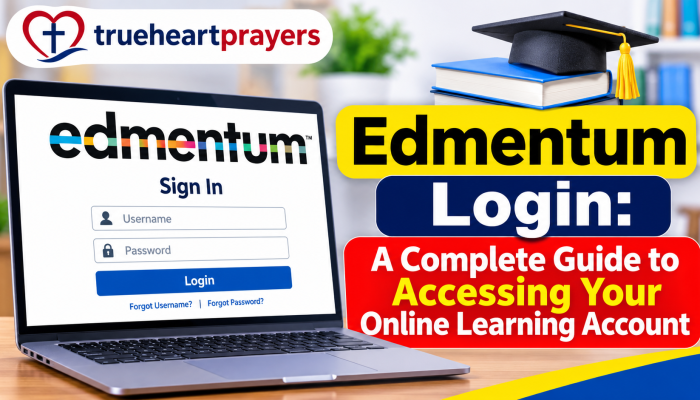
Online education has become an essential part of modern learning, giving students and teachers more flexibility and control over their educational experiences. Edmentum is one of the platforms helping schools and learners achieve their academic goals through digital courses, personalized instruction, and interactive learning tools. To access these resources, users need to understand the Edmentum login process.
Whether you are a student, teacher, parent, or school administrator, this guide explains how to log in to Edmentum, troubleshoot common login problems, and make the most of its online learning features.
What Is Edmentum?
Edmentum is an educational technology platform that provides digital learning solutions for schools, teachers, and students. It offers personalized learning programs, online courses, assessments, and instructional resources designed to support different learning needs.
The platform helps students learn at their own pace while allowing teachers to monitor academic progress and provide additional support where needed.
Some popular Edmentum learning solutions include:
- Exact Path: Personalized learning pathways in mathematics, reading, and language arts.
- Courseware: Online courses covering various academic subjects.
- Study Island: Standards-based practice and assessment resources.
- Apex Learning: Digital curriculum and flexible online learning opportunities.

How to Access Edmentum Login
Logging into Edmentum is a straightforward process. However, the login method may differ depending on your school, district, or learning program.
Follow these steps to access your account:
- Open your preferred web browser on a computer, tablet, or smartphone.
- Visit the official Edmentum website at https://www.edmentum.com/.
- Select the appropriate login option for your learning program or school.
- Enter your assigned username and password.
- If your school uses a single sign-on (SSO) system, select the relevant school or district login option.
- Click the login or sign-in button.
- Once your credentials are verified, you should be redirected to your learning dashboard.
After successfully signing in, you can access the courses, assignments, assessments, and other educational resources available through your account.
Edmentum Student Login
Students can use Edmentum to access their online courses, complete assignments, practice academic skills, and monitor their learning progress.
To log in as a student:
- Open the Edmentum login page provided by your school.
- Enter your student username and password.
- Complete any additional authentication steps if required.
- Access your student dashboard.
- Select the course or learning activity you want to complete.
Students should keep their login information secure and contact their teachers or school administrators if they experience account-related problems.
Edmentum Teacher Login
Edmentum also provides tools that help teachers manage digital classrooms and support student achievement.
Teachers can use their accounts to:
- Create and manage student learning activities.
- Assign online courses and assessments.
- Monitor student performance.
- Review assessment results.
- Identify learning gaps.
- Provide personalized academic support.
Teachers generally access the platform using credentials supplied by their school or district. Depending on the institution, they may also sign in through an integrated school portal.
Key Features of the Edmentum Platform
Edmentum offers several features designed to improve the online learning experience.
1. Personalized Learning
One of the main advantages of Edmentum is its personalized learning approach. Students can work through educational activities based on their individual learning needs and academic performance.
2. Online Courses
The platform provides digital courses across multiple subjects. Students can access course materials, complete assignments, and participate in learning activities online.
3. Progress Tracking
Students and teachers can monitor academic progress through available reporting and assessment tools. This helps identify strengths and areas that need improvement.
4. Flexible Learning Environment
Edmentum supports flexible learning, allowing students to access educational resources outside traditional classroom hours, subject to their school’s program requirements.
5. Assessments and Practice
The platform includes assessment and practice tools that help students strengthen their knowledge and evaluate their understanding of different subjects.
Common Edmentum Login Problems and Solutions
Sometimes users may experience difficulties when trying to access their Edmentum accounts. Most login problems can be resolved with a few simple steps.
1. Incorrect Username or Password
If your login credentials are not accepted, check that you have entered the correct username and password. Make sure Caps Lock is turned off and check for typing errors.
2. Forgotten Password
If you cannot remember your password, use the available password recovery option if your school provides one. Otherwise, contact your teacher or school administrator for assistance.
3. Browser Issues
An outdated browser or stored cache and cookies may interfere with the login process. Try updating your browser, clearing its cache, or opening the login page in another supported browser.
4. Account Access Problems
Your account may not be activated, or your school may have changed your access permissions. Contact your school administrator to verify your account status.
5. Website Not Loading
If the login page does not load, check your internet connection and refresh the page. You can also try accessing the platform using another device or browser.
Tips for a Better Edmentum Learning Experience
To get the most out of Edmentum, students and teachers should follow a few simple practices:
- Keep your username and password in a secure location.
- Use an updated web browser.
- Maintain a reliable internet connection.
- Complete assignments according to your learning schedule.
- Review assessment results regularly.
- Contact your teacher if you have difficulty understanding course material.
- Log out after using a shared or public computer.
These practices can help users enjoy a smoother and more productive online learning experience.
Benefits of Using Edmentum
Edmentum provides several benefits for students, educators, and educational institutions.
For Students:
- Access to digital educational resources.
- Opportunities for self-paced learning.
- Interactive courses and assessments.
- Better awareness of academic progress.
For Teachers:
- Convenient assignment management.
- Access to student performance information.
- Tools for identifying learning difficulties.
- Support for personalized instruction.
For Schools:
- Digital learning solutions.
- Flexible educational programs.
- Online assessment resources.
- Support for different student learning requirements.
Conclusion
Edmentum is a useful digital learning platform that supports students, teachers, and schools through online courses, personalized instruction, assessments, and academic progress tracking.
The Edmentum login process is generally simple when you have the correct credentials and the appropriate school or district login link. By following the steps outlined in this guide, users can access their learning dashboards, complete educational activities, and take advantage of the platform’s digital learning resources.
(FAQs) About Edmentum Login
1. How do I log in to my Edmentum account?
Visit the Edmentum login page provided by your school or district. Enter your assigned username and password, then click the sign-in button to access your learning dashboard.
2. What is the official Edmentum website?
The official Edmentum website is https://www.edmentum.com/. Your school may provide a separate login link for accessing specific learning programs.
3. What should I do if I forget my Edmentum password?
Use the password recovery option if available. If you cannot reset your password, contact your teacher or school administrator for assistance.
4. Can students access Edmentum from home?
Yes. Students can generally access Edmentum from home using an internet-connected device and their school-provided login credentials.
Also Read: AdoptNews: A Complete Guide to the News and Information Platform
5. Is Edmentum available on mobile devices?
Yes. Many Edmentum services can be accessed through compatible mobile browsers. However, availability and functionality may vary by program.
6. Why is my Edmentum login not working?
Login issues may occur because of incorrect credentials, browser problems, an inactive account, or school access restrictions. Check your login details and contact your school administrator if the issue continues.
7. Can teachers use the same Edmentum login portal as students?
Teachers can access Edmentum using their assigned accounts. However, their login options and dashboards may differ from those provided to students.
8. Is Edmentum free to use?
Edmentum access generally depends on school or district subscriptions and educational agreements. Students should check with their schools for information about account access and costs.
9. What subjects are available on Edmentum?
Depending on the program, Edmentum offers learning resources in mathematics, English language arts, science, social studies, and other academic subjects.
10. Can I track my academic progress on Edmentum?
Yes. Edmentum provides progress-monitoring and reporting features in supported programs, allowing students and teachers to review learning performance and identify areas for improvement.
11. Who should I contact if my Edmentum account is locked?
Contact your teacher, school IT department, or school administrator. They can help verify your account and restore access if necessary.
12. Do I need special software to use Edmentum?
Generally, no special software is required for browser-based access. You typically need a compatible web browser and a stable internet connection.





