
Introduction
The Riara University Student Portal is an important online platform designed to help students access academic information and manage various aspects of university life. For students at Riara University in Nairobi, Kenya, online student services can make it easier to stay informed about academic activities, communicate with the institution, and keep track of essential university requirements.
Whether you are a newly admitted student or a continuing student, understanding how to use the student portal can help you manage your studies more efficiently. This article explains the purpose of the Riara University Student Portal, its potential benefits, how to access it, and what to do when you experience login problems.
What Is the Riara University Student Portal?
The Riara University Student Portal is an online student-service platform intended to provide access to relevant academic and administrative information. Depending on the services enabled for your account, the portal may allow you to view course information, check academic records, access fee-related information, and receive important university updates.
The portal helps students manage university-related tasks online rather than relying entirely on in-person visits to administrative offices.
Students should note that the available features may vary depending on their programme, account permissions, and the university’s current online systems.
How to Access the Riara University Student Portal
Students should access the portal through Riara University’s official website to ensure they are using the correct and secure login page.
Follow these steps:
- Open your preferred web browser on a smartphone, tablet, or computer.
- Visit the official Riara University website.
- Look for a link labelled Student Portal, Student Login, or a similar student-services option.
- Click the link to open the designated portal.
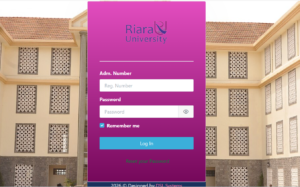
- Enter your registered login credentials, such as your student username and password.
- Select the login option to access your account.
- Once logged in, navigate through the available sections to find the information you need.
If you cannot locate the portal link, contact the university’s official support team for the correct login address.
Important: Always verify that the login page belongs to Riara University before entering your personal information. Avoid sharing your password with other people.
Key Features of the Riara University Student Portal
The features available depend on the university’s portal configuration. Common functions of a university student portal may include the following.
1. Student Academic Information
Students may be able to access information about their enrolled courses, academic activities, programme requirements, and other study-related details.
Having this information available online helps students stay organised throughout the semester.
2. Examination Results and Academic Records
Where the service is enabled, students may use the portal to view examination results, grades, or other academic records. Students should confirm official results and resolve any discrepancies through the appropriate university department.
3. Fee Information
The student portal or a related university finance system may provide information about tuition fees, outstanding balances, payment records, or financial requirements.
Students should always verify payment instructions and official account balances with the university’s finance office before making payments.
4. Course Registration
Some university portals allow students to register for courses, review their selected units, or confirm enrolment for a semester.
Students should follow the registration deadlines and academic guidance provided by the university to avoid delays or registration problems.
5. Announcements and University Updates
Online student services can help students stay informed about academic calendars, examination schedules, registration deadlines, and other important announcements.
Students should check official university communication channels regularly so they do not miss important updates.
6. Personal Student Information
Depending on the available features, students may be able to view personal details associated with their accounts. Any changes to official student records may require approval from the relevant university office.
How to Reset Your Riara University Student Portal Password
Forgetting your password can prevent you from accessing important academic information. If you cannot remember your login details, follow these steps:
- Open the official student portal login page.
- Check whether a Forgot Password or password-reset option is available.
- Follow the instructions provided on the page.
- If password recovery is unavailable or unsuccessful, contact the university’s IT support team or student administration office.
- Once access is restored, create a strong password and keep it secure.
Do not share your password or verification codes with anyone claiming to provide unofficial portal assistance.
Common Riara University Student Portal Login Problems
Students may occasionally experience difficulties when accessing online university services. Below are some common issues and possible solutions.
| Problem | Possible solution |
|---|---|
| Incorrect username or password | Recheck your login details and try again. |
| Forgotten password | Use the available password-recovery process or contact university support. |
| Portal not loading | Check your internet connection and try again later. |
| Account access denied | Contact the relevant university office to confirm your account status. |
| Missing academic information | Contact the appropriate academic department for assistance. |
| Payment information not updated | Keep your payment confirmation and consult the university finance office. |
If the problem continues, provide the university’s support team with a clear description of the issue. Avoid sending your password or other sensitive credentials.
Benefits of Using the Riara University Student Portal
The student portal offers several potential advantages when used alongside the university’s other official communication channels.
Convenient access: Students can access available information online without always visiting university offices in person.
Better organisation: Academic information and administrative details can be easier to manage when they are accessible through a central platform.
Time-saving: Online services may reduce the time spent making routine enquiries or obtaining information.
Improved communication: Digital announcements and updates can help students keep track of university activities and deadlines.
Greater independence: Students can take more responsibility for monitoring their academic progress and completing administrative tasks.
These benefits depend on the services available through the university’s current portal.
Tips for Using the Student Portal Effectively
To get the most out of your Riara University Student Portal account, consider the following tips:
- Log in regularly to check available academic information and announcements.
- Keep your username and password secure.
- Use a reliable internet connection when accessing your account.
- Check examination, registration, and fee deadlines through official university communications.
- Log out after using the portal on a shared or public computer.
- Keep copies of important payment receipts and official academic communications.
- Contact the appropriate university department when information appears incorrect or incomplete.
About Riara University
Riara University Private university in Nairobi, Kenya is a higher education institution based in Nairobi, Kenya. The university provides academic programmes and student services designed to support learners throughout their studies.
For accurate information about admissions, academic programmes, student services, and official portal access, students should consult the university’s official website:
Official website: https://www.riarauniversity.ac.ke/
Use the website to locate current student-service links and official contact information rather than relying on unverified third-party login pages.
Conclusion
The Riara University Student Portal is an important point of access for students who need to manage academic information and university-related administrative tasks online. Learning how to access the portal, use its available features, and resolve common login problems can make the student experience more convenient and organised.
For the most accurate information, always use official university resources and contact the relevant department whenever you need help with your account.
(FAQs) About Riara University Student Portal
1. What is the Riara University Student Portal?
The Riara University Student Portal is an online platform designed to help students access academic information and manage university-related services.
2. How do I log in to the Riara University Student Portal?
Visit the official Riara University website at https://www.riarauniversity.ac.ke/, locate the student portal link, and enter your registered username and password.
3. What is the official Riara University website?
The official website is https://www.riarauniversity.ac.ke/. Students can use it to find university information and locate official student services.
4. What services are available on the Riara University Student Portal?
Depending on the services enabled, students may be able to access course information, examination results, fee details, registration services, and university announcements.
Also Read: GrammarVista.com: A Complete Guide to Online Grammar Learning and Writing Improvement
5. How can I reset my Riara University Student Portal password?
Visit the portal login page and select the password-reset option if available. If you cannot reset your password, contact the university’s IT support team.
6. Why can’t I log in to the Riara University Student Portal?
Login problems may result from incorrect credentials, a forgotten password, account restrictions, internet connectivity issues, or temporary technical difficulties. Check your details and contact university support if the problem persists.
7. Can I check my examination results through the student portal?
If examination results are available through your account, you may be able to view them after logging in. Contact the relevant academic department if your results are missing.
8. Can I check my fee balance on the Riara University Student Portal?
Fee information may be available through the student portal or a related finance system. Confirm your outstanding balance with the university’s finance office if the information is unavailable or unclear.
9. Can I access the Riara University Student Portal on my mobile phone?
Yes, you can generally access web-based student services using a smartphone browser, provided the portal supports mobile browsing and you have an internet connection.
10. What should I do if the student portal is not loading?
Check your internet connection, refresh the page, or try another browser. If the problem continues, wait a while and contact the university’s support team.
11. How do I register for courses through the student portal?
If online course registration is supported, log in and look for the course registration section. Follow the university’s registration guidelines and complete the process before the stated deadline.
12. Is the Riara University Student Portal free to use?
Access to a student portal is generally provided as part of university student services. However, tuition fees and other university charges remain subject to the institution’s policies.
13. How can I contact Riara University for portal assistance?
Visit the official university website at https://www.riarauniversity.ac.ke/ to find current contact details and request assistance from the appropriate department.
14. Is the Riara University Student Portal secure?
Students should access the portal through official university links, use strong passwords, avoid sharing login credentials, and always log out when using shared devices.
15. Who can use the Riara University Student Portal?
Access is generally intended for registered students and other authorised users. Available features depend on the user’s account and permissions.





