
Introduction
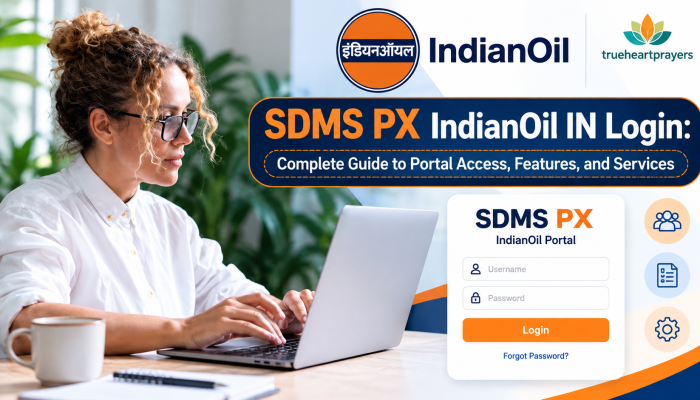
The SDMS PX IndianOil IN Login portal is an online platform associated with Indian Oil Corporation Limited (IndianOil). It is designed to support authorized business partners, dealers, and distributors in managing various business-related activities through digital services.
For users who need to access dealership information, manage transactions, review business records, or use distribution-related services, understanding the login process can make everyday work easier.
In this article, we will explain what SDMS PX IndianOil is, how to access the portal, its key features, common login issues, and important security tips.
What Is SDMS PX IndianOil?
SDMS stands for Sales and Distribution Management System. It is associated with the digital management of sales, distribution, and business operations within the IndianOil ecosystem.
The portal is primarily intended for authorized users who need access to relevant business services and information. Depending on their account permissions, users may be able to access operational records, transaction details, invoices, orders, and other dealership-related functions.
The main objective of such digital systems is to simplify business processes, improve information accessibility, and reduce reliance on manual paperwork.
Official SDMS PX IndianOil Login Portal
Users can start by visiting the commonly referenced SDMS portal:
Official portal: https://sdms.px.indianoil.in/
Always verify that you are accessing a genuine IndianOil website. Portal addresses and login procedures can change, so if the link redirects you or does not open, consult IndianOil’s official website or your authorized business contact for the current access instructions.
Please note that access to business functions generally requires valid credentials issued to an authorized user.
How to Log In to SDMS PX IndianOil
Follow these general steps to access your account:
Step 1: Open the Official Website
Open a web browser on your computer or mobile device and enter the SDMS portal address in the address bar.
Step 2: Locate the Login Page
Open the appropriate login page for your account. Authorized dealers and distributors should use the login route provided by IndianOil for their specific business role.
Step 3: Enter Your Login Credentials
Enter your registered User ID and password in the designated fields. Check that the details are correct before continuing.
Step 4: Complete Any Required Verification
If the portal requests an OTP or another verification step, follow the instructions displayed on the official login page.
Step 5: Access Your Dashboard
After successful authentication, you should be directed to the services available for your account. The options displayed may vary depending on your role and permissions.
Important: Never share your password or verification code with an unauthorized person.
Key Features of the SDMS PX IndianOil Portal
The services available depend on the user’s account type and access permissions. Common business functions associated with distribution management platforms include the following.
1. Order Management
Authorized business users may be able to access relevant order-related services. Digital order management can help users review order information and follow the progress of business transactions.
2. Invoice and Billing Information
The portal may provide access to invoices, billing details, and transaction records relevant to the user’s account. These records can help businesses maintain organized financial documentation.
3. Distribution and Inventory Activities
Distribution-related tools can help authorized users review stock information and coordinate operational activities. The availability of particular inventory functions depends on the user’s role and the services enabled for the account.
4. Business Records and Reports
Digital business systems can make it easier to review relevant reports, account information, and transaction histories. These records may support routine business monitoring and administrative work.
5. Online Access to Business Services
A web-based platform allows authorized users to access supported services without relying entirely on paper-based processes. This can help simplify routine administrative tasks.
Note: Not every feature is necessarily available to every SDMS user. Refer to your authorized dashboard for the functions enabled for your account.
Who Can Use the SDMS PX IndianOil Portal?
The portal is intended for eligible users associated with IndianOil’s business operations. Depending on the particular service, these may include:
- Authorized dealers and distributors.
- Eligible business partners.
- Registered commercial users.
- Authorized personnel who have been granted access to relevant systems.
Ordinary consumers should not assume that a business login is the correct way to access personal LPG booking or other consumer services. IndianOil provides separate customer-facing channels for applicable services.
How to Solve Common SDMS Login Problems
Sometimes, users may experience difficulties while trying to access the portal. The following troubleshooting steps can help.
Incorrect User ID or Password
Carefully re-enter your credentials and check for typing errors, extra spaces, and incorrect capitalization where applicable.
If the problem continues, use the official account recovery option if available or contact your authorized IndianOil administrator.
Forgot Your Password
Open the appropriate official login page and look for a password recovery option. Follow the displayed instructions to verify your identity and reset your password.
The exact recovery process may vary depending on the login system and account type.
Website Not Opening
If the portal does not load, try the following:
- Check your internet connection.
- Refresh the page or reopen the browser.
- Try an updated browser.
- Clear the browser cache if necessary.
- Check whether the portal address has changed or whether a temporary service interruption is occurring.
If the issue persists, contact the relevant IndianOil support channel.
OTP Not Received
If an OTP is required but does not arrive, confirm that your registered contact information is correct and that your mobile network is working properly.
Wait briefly before requesting another code, if the page permits it. Never share an OTP with anyone claiming to offer unofficial assistance.
Account Access Denied
An access-denied message may indicate incorrect credentials, an account restriction, or insufficient permissions.
Contact your authorized administrator or IndianOil support to determine the reason rather than attempting to bypass access controls.
Security Tips for SDMS PX IndianOil Users
Keeping your account secure is important when accessing business information online.
Follow these practical precautions:
- Use the correct website: Check the domain carefully before entering your credentials.
- Keep your password private: Do not share login details with unauthorized individuals.
- Choose a strong password: Avoid predictable passwords and do not reuse passwords across important accounts.
- Log out after use: Especially when accessing the portal from a shared computer.
- Avoid suspicious links: Do not enter credentials on websites received through unverified messages.
- Protect business information: Download, store, and share account records only through approved channels.
These steps can help reduce the risk of unauthorized account access.
Conclusion
The SDMS PX IndianOil IN Login portal is an important digital access point for authorized users involved in IndianOil’s business and distribution activities. By understanding the login procedure, account requirements, and basic troubleshooting methods, users can navigate the available services more confidently.
Always use a verified IndianOil website, protect your login credentials, and seek assistance through authorized support channels when access problems occur.
(FAQs) About SDMS PX IndianOil Login
1. What is SDMS PX IndianOil?
SDMS PX IndianOil is an online portal associated with Indian Oil Corporation Limited (IndianOil) that supports authorized users with sales, distribution, and business-related activities.
2. What is the official SDMS PX IndianOil login website?
The commonly referenced portal URL is https://sdms.px.indianoil.in/. Users should verify the website address before entering their login credentials.
3. How can I log in to the SDMS PX IndianOil portal?
Visit the official portal, enter your authorized User ID and password, complete any required verification, and proceed to your account dashboard.
4. Who can use the SDMS PX IndianOil portal?
Eligible IndianOil dealers, distributors, business partners, and other authorized personnel may access the portal according to their account permissions.
Also Read: Research Dossier for a Target Company: A Complete Guide to Smarter Business Decisions
5. What information do I need to log in to SDMS PX IndianOil?
You generally need a valid User ID and password. Additional verification, such as an OTP, may be required depending on the login process.
6. What should I do if I forget my SDMS PX IndianOil password?
Check the official login page for a password recovery option. If one is unavailable or does not work, contact your authorized administrator or the relevant IndianOil support team.
7. Why is the SDMS PX IndianOil website not opening?
The website may be temporarily unavailable because of maintenance, network issues, browser problems, or a changed access route. Check your internet connection and verify the portal address.
8. Can I access SDMS PX IndianOil on my mobile phone?
You can try opening the portal in an updated mobile browser. The availability and functionality of services may depend on your device and the portal’s current configuration.
9. What services are available on the SDMS PX IndianOil portal?
Depending on your account permissions, the portal may provide access to business records, distribution-related services, order information, invoices, and other operational functions.
10. What should I do if my SDMS login credentials are not working?
Check your User ID and password for typing errors. If the problem continues, use the official recovery process or contact your administrator for assistance.
11. Is SDMS PX IndianOil available to the general public?
The portal is primarily intended for authorized business users. Consumers should use the appropriate official IndianOil customer service channels for personal LPG bookings and other consumer services.
12. Is it safe to use the SDMS PX IndianOil portal?
Use only a verified official website, keep your password confidential, avoid suspicious links, and log out after using a shared device.
13. Can I create a new SDMS PX IndianOil account myself?
Account registration and access procedures depend on your business relationship with IndianOil. Contact the relevant IndianOil office or authorized administrator to determine your eligibility and registration process.
14. What should I do if I receive an access-denied message?
An access-denied message may indicate a credential problem, an account restriction, or insufficient permissions. Contact the authorized administrator or IndianOil support rather than attempting to bypass access controls.
15. Is SDMS PX IndianOil an official IndianOil service?
The portal is associated with IndianOil’s sales and distribution ecosystem. For confirmation of current access details and services, consult the official IndianOil website at https://iocl.com/.





