
Introduction
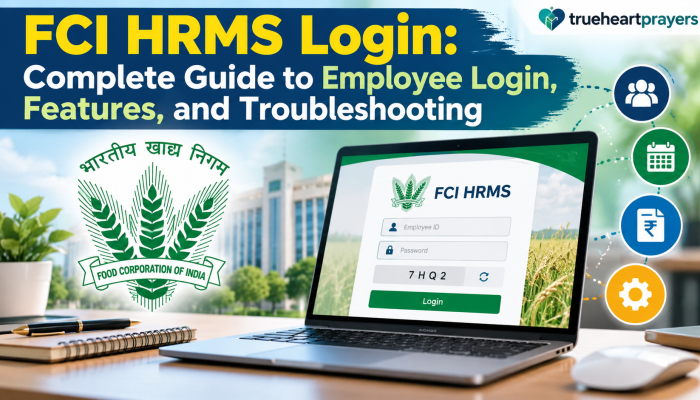
The FCI HRMS login portal is an important online resource for employees of the Food Corporation of India (FCI). HRMS stands for Human Resource Management System, a digital platform designed to simplify employee-related administrative tasks and provide convenient access to human resource information.
Through an HRMS portal, employees may be able to access personal service details, salary information, payslips, leave records, and other employment-related services, depending on their permissions and the features enabled by FCI.
In this article, we will explain how to access the FCI HRMS login portal, the information employees may find there, common login problems, and essential security tips.
What Is FCI HRMS?
The Food Corporation of India is a government organization responsible for supporting India’s food security system, including the procurement, storage, movement, and distribution of food grains.
FCI HRMS refers to the human resource management system associated with employee administration. It is intended to help authorized employees access relevant employment information through a digital interface rather than relying entirely on manual processes.
The availability of individual services may vary depending on an employee’s role, department, region, and portal permissions.
How to Access the FCI HRMS Login Portal
Employees should access the HRMS system through an official FCI website, an authorized internal portal, or a login link provided by their department.
Follow these general steps to log in:
- Open the official FCI website: Visit the Food Corporation of India’s official website and look for employee services, HRMS, or the relevant internal portal.
- Find the HRMS login page: Select the authorized HRMS login link provided by FCI or your regional office.
- Enter your login credentials: Provide your employee ID, username, or other required identification details.
- Enter your password: Type the password associated with your account.
- Complete verification: If the portal requires a CAPTCHA, OTP, or another security check, complete the requested verification.
- Click the Login button: Submit your details to access your employee dashboard.
- Open the required service: Once logged in, navigate to the available employee services, such as salary details, leave information, or personal records.
Important: The exact login procedure may differ depending on the portal version. Always use the current login instructions supplied by FCI or your authorized administrative office.
Official FCI Website
For reliable information and official updates, begin with the Food Corporation of India’s website:
Official website: https://fci.gov.in/
Look for the relevant employee services or HRMS section. If you cannot locate the login page, contact your regional FCI office or HR department for the correct portal address.
Avoid entering your employee ID or password on unofficial websites that claim to provide FCI HRMS access.
Features and Benefits of FCI HRMS
An HRMS portal can make routine employee administration more convenient. Depending on the services available to an authorized FCI employee, the system may provide access to the following information.
1. Employee Profile
Employees may be able to review their personal information, employee identification details, designation, department, and other service-related records.
It is important to check that the information displayed is accurate and report any discrepancies to the appropriate administrative office.
2. Salary Details and Payslips
Where the relevant functionality is available, employees may be able to view salary statements, monthly payslips, and related payroll information.
These records can help employees review salary components and maintain documentation for personal financial records.
3. Leave Management
Some HRMS systems provide employee leave information, including leave balances, application status, and leave history.
If online leave applications are supported by the FCI portal available to you, follow your department’s procedures when submitting or checking a request.
4. Service Records
Authorized employees may have access to selected employment-related records, depending on the system’s configuration and access permissions.
These records can help employees review their service information and identify details that may require correction.
5. Employee Self-Service
Employee self-service features can reduce the need for routine visits to administrative offices. Where enabled, employees may be able to review records, submit requests, and monitor updates online.
The precise services available should be confirmed through the official FCI portal.
How to Reset Your FCI HRMS Password
If you forget your password, you may be unable to access your account until the credentials are recovered or reset.
Follow these general steps:
- Open the authorized FCI HRMS login page.
- Look for a Forgot Password, Reset Password, or similar option, if available.
- Enter the requested employee identification information.
- Complete any required identity verification.
- Follow the official password-reset instructions.
- Create a strong new password if the system allows you to do so.
- Return to the login page and try signing in again.
If the portal does not offer an online password-reset option, contact your HR department, system administrator, or designated IT support team.
Never share your password or OTP with someone claiming to provide unofficial login assistance.
Common FCI HRMS Login Problems and Solutions
Employees may occasionally experience difficulties when accessing an HRMS portal. The following troubleshooting suggestions can help resolve common issues.
Incorrect Username or Password
Check that your employee ID or username is correct. Make sure the password has been entered accurately and that Caps Lock is not enabled unintentionally.
If the problem continues, use the official recovery process or contact authorized support.
Website Not Opening
The portal may be temporarily unavailable because of maintenance, network problems, or server issues.
Try refreshing the page, checking your internet connection, or accessing the portal again after some time. If the issue persists, ask your department whether the system is undergoing maintenance.
Account Locked
Some systems temporarily restrict access after repeated unsuccessful login attempts.
If your account appears to be locked, stop trying random passwords and contact the authorized administrator for assistance.
OTP or Verification Problems
If an OTP is required but does not arrive, verify that your registered contact details are correct and check whether the message has been delayed.
Request another OTP only through the official portal and follow any instructions shown on the screen.
Browser-Related Issues
An outdated browser or corrupted cached data may occasionally cause a login page to behave unexpectedly.
You can try updating your browser, opening the portal in a private browsing window, or clearing the browser cache. Avoid using public computers for accessing sensitive employee information whenever possible.
Security Tips for FCI HRMS Users
Because an employee HRMS account may contain personal and employment information, account security is essential.
- Use the official portal: Verify the website address before entering your credentials.
- Keep your password private: Never share it with unauthorized individuals.
- Choose a strong password: Use a unique password that is difficult to guess.
- Log out after use: Always sign out when accessing the system on a shared computer.
- Avoid suspicious links: Do not open login links received through unverified messages.
- Protect personal information: Do not post employee IDs, payslips, passwords, or OTPs publicly.
- Report suspicious activity: Contact the appropriate FCI support team if you notice unfamiliar account activity.
Following these practices can help reduce the risk of unauthorized access.
Conclusion
The FCI HRMS login portal can help authorized Food Corporation of India employees access available human resource services and employment-related information online. Depending on the features enabled for their accounts, employees may be able to review personal records, check salary information, access payslips, or manage other HR-related activities.
To avoid login difficulties and security risks, always use the official or department-authorized portal, keep your credentials confidential, and contact the appropriate HR or IT team when you need assistance.
(FAQs) About FCI HRMS Login
1. What is FCI HRMS login?
FCI HRMS login is the process of accessing the Human Resource Management System associated with the Food Corporation of India. It allows authorized users to access available employee-related services online.
2. How can I log in to the FCI HRMS portal?
Visit the official Food Corporation of India website at https://fci.gov.in/ and look for the authorized HRMS or employee login link. Enter your registered login credentials and complete any required verification.
3. Who can access the FCI HRMS portal?
The portal is generally intended for authorized FCI employees and other users who have been granted access. Available services depend on the user’s role and permissions.
4. What credentials are required for FCI HRMS login?
You may need your employee ID or username, password, and any additional verification details requested by the portal.
Also Read: SFMCompile: A Complete Guide to Its Meaning, Features, and Creative Uses
5. How can I reset my FCI HRMS password?
If a password-reset option is available on the login page, follow the instructions to recover your account. Otherwise, contact your authorized HR department or system administrator.
6. Can I check my salary slip through FCI HRMS?
If the payslip feature is enabled for your account, you may be able to view or download your salary statement through the relevant section of the portal.
7. Why am I unable to log in to FCI HRMS?
Login problems may occur because of incorrect credentials, temporary server issues, account restrictions, or browser problems. Check your details and internet connection before contacting technical support.
8. Is FCI HRMS available on mobile devices?
Access through a mobile browser may be possible if the authorized portal supports it. Follow FCI’s official instructions for mobile access.
9. What should I do if the FCI HRMS website is not opening?
Check your internet connection, refresh the page, try an updated browser, and check for possible maintenance. If the problem continues, contact your regional office or authorized IT support.
10. Can I check my leave details through FCI HRMS?
Leave balances, application status, and leave history may be available if the relevant features are enabled for your account.
11. Is FCI HRMS login free?
Access to an authorized employee portal is generally provided as part of the organization’s internal services. Employees should not pay unofficial websites or individuals for login access.
12. Is it safe to use the FCI HRMS login portal?
Yes, provided you use the genuine, authorized portal and follow security precautions. Never share your password or OTP, and always log out after using a shared device.
13. What should I do if my FCI HRMS account is locked?
Stop repeated login attempts and contact your authorized system administrator or HR department for assistance with account recovery.
14. Where can I get help with FCI HRMS login issues?
Contact your regional FCI office, HR department, or designated IT support team for the correct login link, password assistance, and technical support.
15. What is the official website of the Food Corporation of India?
The official FCI website is https://fci.gov.in/. Use it to find official information and locate authorized employee services.





