
Introduction
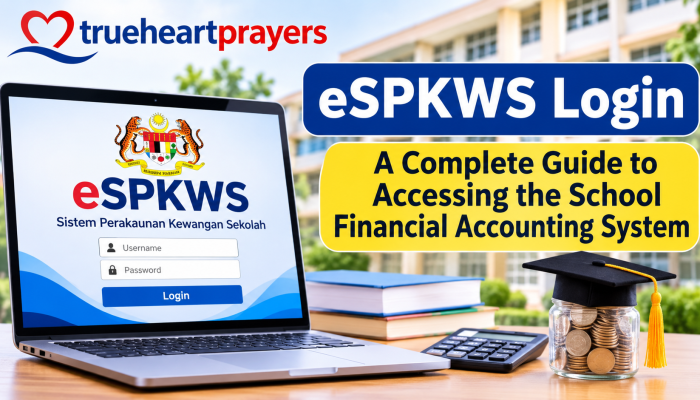
Managing school finances is an important responsibility that requires accuracy, transparency, and proper record-keeping. To make financial management easier for schools, the Ministry of Education Malaysia (Kementerian Pendidikan Malaysia – KPM) introduced the Electronic School Fund Accounting System (eSPKWS).
The eSPKWS portal allows authorized school administrators and finance staff to manage school financial records online. Through this system, users can record financial transactions, manage payments and receipts, and prepare accounting reports.
In this article, we will explain what eSPKWS is, how to access the eSPKWS login portal, its main features, and what to do if you experience login problems.
What Is eSPKWS?
eSPKWS stands for Sistem Perakaunan Kumpulan Wang Sekolah. It is an online accounting system developed by the Ministry of Education Malaysia to support the financial management of schools under its administration.
The system helps schools maintain organized financial records and manage different categories of school funds.
These include:
- Government Fund (Kumpulan Wang Kerajaan): Funds allocated by the government for school-related purposes.
- SUWA Fund (Kumpulan Wang SUWA): Funds received through public contributions and other approved sources.
- Hostel Fund (Kumpulan Wang Asrama): Funds used for the financial management of school hostels.

By using eSPKWS, authorized school personnel can manage accounting activities more efficiently while maintaining accurate financial documentation.
Official eSPKWS Login Portal
Users can access the eSPKWS system through the official Ministry of Education Malaysia portal.
Official Login Website: https://spkws.moe.gov.my/login.php
Make sure you use the official website when entering your login information. Avoid unofficial websites that request your username or password.
How to Login to eSPKWS
Accessing the eSPKWS portal is straightforward if you already have an authorized user account.
Follow these steps:
- Open your preferred internet browser on your computer or laptop.
- Visit the official eSPKWS login page: https://spkws.moe.gov.my/login.php.
- Wait for the login page to load.
- Enter your registered User ID in the username field.
- Enter your assigned Password in the password field.
- Review your login information to ensure it is correct.
- Click the Masuk (Login) button.
- Once your credentials are successfully verified, you can access the system according to your assigned permissions.
Always keep your login credentials confidential and do not share them with unauthorized individuals.
Main Features of the eSPKWS System
The eSPKWS platform provides several functions to support school accounting and financial administration.
1. Receipt Management
The system allows authorized users to record money received by the school. Proper receipt management helps maintain accurate records of incoming funds.
2. Payment Management
School finance staff can manage payment transactions and maintain relevant financial documentation through the payment module.
3. Bill Registration
The bill registration module helps users organize payment-related information and maintain records of outstanding bills.
4. Deposit Management
The deposit module supports the recording and management of financial deposits associated with school accounts.
5. Bank Reconciliation
Bank reconciliation helps school finance staff compare accounting records with bank statements to identify differences and maintain accurate balances.
6. Financial Reporting
The reporting module allows authorized users to generate financial reports and review important accounting information.
7. Fund Transfer
The system also provides functions for managing approved transfers between relevant school fund allocations.
Benefits of Using eSPKWS
The implementation of eSPKWS offers several advantages for school financial administration.
1. Better Financial Organization
All relevant financial information can be maintained within a structured accounting system, making records easier to manage.
2. Improved Accuracy
Using a computerized accounting system helps reduce manual calculation errors and improves the consistency of financial records.
3. Time-Saving Process
Recording transactions and preparing reports through an online system can reduce repetitive administrative work.
4. Greater Transparency
Proper transaction records help schools maintain accountability when managing public and school funds.
5. Easier Financial Monitoring
Authorized personnel can review financial information and monitor school fund activities more systematically.
Common eSPKWS Login Problems and Solutions
Sometimes users may experience difficulties when accessing the eSPKWS portal. Here are some common issues and possible solutions.
1. Incorrect User ID or Password
If you cannot log in, first check whether your User ID and password have been entered correctly.
Remember to check:
- Capital and lowercase letters.
- Unnecessary spaces.
- Incorrect characters or numbers.
- Whether Caps Lock is enabled.
If the problem continues, contact your school system administrator.
2. Forgotten Password
If you have forgotten your password, contact the authorized school administrator or the relevant eSPKWS support team for assistance with the password recovery process.
Follow only the official password-reset instructions.
3. Website Not Loading
If the login page does not open, try these troubleshooting steps:
- Check your internet connection.
- Refresh the browser page.
- Clear your browser cache.
- Try another updated browser.
- Access the website again after some time.
The portal may occasionally experience technical maintenance or temporary service interruptions.
4. Account Access Issues
Not every school employee has permission to access all eSPKWS functions.
If you do not have an account or cannot access a particular module, contact your school administration to verify your account permissions.
5. Technical Errors
If you continue experiencing technical problems, record the error message and contact the appropriate eSPKWS helpdesk or technical support team.
Important Security Tips for eSPKWS Users
Since eSPKWS contains sensitive school financial information, users should follow proper security practices.
- Never share your User ID or password.
- Use a strong password that meets your organization’s security requirements.
- Avoid accessing the system through suspicious links.
- Always log out after completing your work.
- Do not save passwords on public or shared computers.
- Keep financial records and supporting documents properly maintained.
- Report suspicious account activity to the relevant administrator.
These practices help protect school financial information and reduce the risk of unauthorized access.
Who Can Use the eSPKWS Portal?
The eSPKWS system is designed for authorized personnel involved in school financial administration.
Depending on their assigned responsibilities and access permissions, users may include:
- School principals and headmasters.
- School financial managers.
- Authorized administrative officers.
- School accounting clerks.
- Other approved financial management personnel.
If you are a new user, contact your school administration to learn about the account registration and access authorization process.
Conclusion
The eSPKWS portal is an important digital platform for managing school finances under the Ministry of Education Malaysia. It helps authorized school personnel record transactions, manage payments, monitor funds, and prepare financial reports in a more organized way.
Accessing the system is simple when users have valid login credentials. Visit the official eSPKWS website, enter your registered User ID and password, and click the login button to continue.
(FAQs) About eSPKWS Login
1. What is eSPKWS?
eSPKWS stands for Sistem Perakaunan Kumpulan Wang Sekolah. It is an online accounting system developed by Malaysia’s Ministry of Education (KPM) to help schools manage their financial records and transactions.
2. What is the official eSPKWS login website?
Users can access the eSPKWS portal through the official website: https://spkws.moe.gov.my/login.php.
3. How do I log in to eSPKWS?
Visit the official eSPKWS website, enter your registered User ID and password, and click the Masuk button to access your account.
4. Who can use the eSPKWS system?
The system is intended for authorized school personnel, including principals, financial administrators, accounting clerks, and other approved staff.
Also Read: TotalTechDirect com: A Complete Guide to Its Features, Content, and Technology Insights
5. What should I do if I forget my eSPKWS password?
Contact your school administrator or the relevant technical support team to request password recovery assistance.
6. Why can’t I access the eSPKWS login page?
Login problems may occur because of internet connectivity issues, browser errors, scheduled maintenance, or temporary server problems. Check your internet connection and try accessing the portal again.
7. Can I access eSPKWS using my mobile phone?
You can try accessing the portal through a mobile browser. However, using a desktop or laptop may provide a better experience for financial management tasks.
8. What are the main features of eSPKWS?
The system supports financial activities such as receipt recording, payment management, bill registration, deposit management, bank reconciliation, and financial reporting.
9. Is eSPKWS free to use?
The system is provided for authorized school financial administration. Access depends on the user’s official authorization and account permissions.
10. Is eSPKWS the same as KWSP?
No. eSPKWS is a school fund accounting system under Malaysia’s Ministry of Education, whereas KWSP refers to the Employees Provident Fund (EPF).
11. How can I keep my eSPKWS account secure?
Use a strong password, never share your login credentials, avoid suspicious links, and always log out after completing your work.
12. What should I do if my eSPKWS account is blocked?
Contact your school administrator or the appropriate eSPKWS support team to check your account status and request assistance restoring access.
13. Can all school employees access eSPKWS?
No. Only registered and authorized personnel with the appropriate permissions can access the system and its financial modules.
14. What is the purpose of eSPKWS in schools?
Its main purpose is to simplify school financial management, improve accounting accuracy, organize financial records, and support transparent management of school funds.
15. Where can I get help with eSPKWS technical problems?
For technical assistance, contact your school system administrator or the relevant Ministry of Education support channel.





