
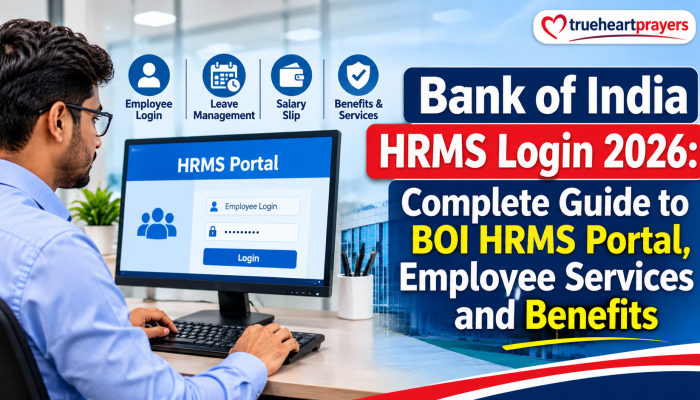
Bank of India (BOI) is one of India’s leading public sector banks, providing various banking and financial services across the country. To make employee management easier and more efficient, the bank uses a Human Resource Management System (HRMS), which helps employees access important HR-related information and services online.
The Bank of India HRMS Login Portal provides a convenient way for eligible bank employees to access their employee-related information, salary details, HR services and other internal facilities.
In this article, we will explain everything about Bank of India HRMS login, including the official portal, login procedure, important features, password-related issues and frequently asked questions.
What Is Bank of India HRMS?
Bank of India HRMS is an employee-oriented digital platform designed to simplify human resource management activities. It helps bank employees access relevant employment information and use available HR services through an online system.
Instead of depending entirely on manual paperwork or visiting administrative departments for routine information, employees can use the HRMS platform for supported self-service activities.

The system also supports the bank’s efforts to automate HR processes and improve employee service delivery.
Bank of India HRMS Login – Official Portal
Employees looking to access the Bank of India staff portal should use the bank’s official website.
Official website: https://bankofindia.bank.in/staff-portal
Follow the official Staff Portal link to access the login facility. Always verify that you are using a genuine Bank of India website before entering your login credentials.
How to Login to Bank of India HRMS?
If you are a Bank of India employee and have received your authorized login credentials, follow these steps:
- Open Google Chrome or Microsoft Edge on your computer or mobile device.
- Visit the official Bank of India website.
- Navigate to the Staff Portal section.
- Select the Login option.
- Enter your assigned User ID or Employee Login ID.
- Enter your password in the appropriate field.
- Complete any additional security verification, if requested.
- Click the Login button to access the employee portal.
After successful authentication, you can access the HR services and information available under your account.
Important Features of Bank of India HRMS
The Bank of India HRMS platform supports different employee-related activities. Some of its important functions include:
1. Salary Details and Payslips
Employees may use the available payroll facilities to check their salary information and access salary-related documents. These records can be useful for personal financial planning and official documentation.
2. Leave Management
The HRMS system supports employee-related HR processes, including leave management. Depending on the facilities available to an employee, users can access leave information and related services.
3. Employee Information
The platform helps maintain employee-related information in a centralized digital environment. This makes it easier to manage and access relevant employment records.
4. Provident Fund and Retirement-Related Information
Employees can use the relevant available HR facilities to access information associated with retirement benefits and provident fund-related matters.
5. Reimbursement and Claims
HRMS also supports certain employee claims and reimbursement-related processes. Bank of India’s annual report mentions automation of processes such as full-and-final claims through HRMS.
6. Employee Self-Service
The employee self-service approach reduces dependence on manual administrative processes and makes routine HR-related activities more convenient.
How to Download Bank of India Salary Slip?
Employees who have access to the relevant payroll facility can follow these general steps:
- Visit the official Bank of India Staff Portal.
- Log in using your authorized credentials.
- Open the employee dashboard.
- Navigate to the payroll or salary-related section.
- Select the relevant salary month and year.
- Open the available salary statement.
- Use the download or print option, if available.
You can save the downloaded salary slip as a PDF for future reference.
How to Reset Bank of India HRMS Login Password?
Sometimes employees may forget their login passwords or experience difficulties accessing their accounts.
If you cannot remember your password, follow these suggestions:
- Open the official Bank of India Staff Portal.
- Check whether a Forgot Password option is available.
- Follow the instructions provided on the login page.
- Complete the required identity verification.
- Create a new password if the system allows self-service password recovery.
If the password recovery option is unavailable or does not work, contact your authorized Bank of India HR or IT support department for assistance.
Common Bank of India HRMS Login Problems and Solutions
Employees may occasionally experience technical problems while accessing the HRMS portal. Here are some common issues and possible solutions.
| Login Problem | Possible Solution |
|---|---|
| Incorrect password | Verify your password and check Caps Lock. |
| Invalid User ID | Confirm your assigned login ID. |
| Website not opening | Check your internet connection and try again. |
| Login page not loading | Try another updated browser. |
| Forgotten password | Use the available password recovery facility. |
| Account access denied | Contact the authorized IT support team. |
| Session expired | Refresh the page and log in again. |
For security reasons, avoid repeatedly attempting to log in with incorrect credentials.
Benefits of Bank of India HRMS Portal
The HRMS platform offers several advantages for employees and the bank.
- Easy accessibility: Employees can access supported HR services online.
- Time-saving: Reduces the need for certain manual HR-related activities.
- Better information management: Helps maintain employee information digitally.
- Improved transparency: Makes relevant employment information easier to access.
- Process automation: Supports the automation of various HR activities.
- Employee convenience: Provides a centralized platform for available employee services.
Security Tips for Bank of India HRMS Login
Since the HRMS portal may contain confidential employee and employment-related information, users should follow basic security practices.
- Always use the official Bank of India website.
- Never share your password with anyone.
- Avoid logging in through unknown third-party websites.
- Do not save passwords on public computers.
- Log out after completing your work.
- Use a secure internet connection.
- Never share OTPs or other authentication details with unknown individuals.
Remember that your HRMS login credentials are personal and should remain confidential.
Conclusion
The Bank of India HRMS Login Portal is an important digital resource for employees to access available HR services and employment-related information. It supports the bank’s efforts to streamline human resource management, improve process automation and provide convenient employee services.
By visiting the official Bank of India Staff Portal and following the correct login procedure, authorized employees can access their accounts and use the facilities available to them.
(FAQs) – Bank of India HRMS Login
1. What is Bank of India HRMS?
Bank of India HRMS is an online Human Resource Management System designed to help authorized employees access employment-related information and HR services.
2. How can I access the Bank of India HRMS login portal?
Visit the official Bank of India website at https://bankofindia.bank.in/staff-portal and navigate to the Staff Portal login section.
3. Who is eligible to use BOI HRMS?
Bank of India employees and other authorized users can access the HRMS portal using their assigned login credentials.
4. What details are required for Bank of India HRMS login?
You generally need your assigned Employee ID or User ID and password. Additional security verification may also be required.
Also Read: RecordNewswire: A Complete Guide to the Digital News and Information Platform
5. How can I download my Bank of India salary slip?
Log in to the employee portal, navigate to the payroll or salary section, select the required month and year, and download the available salary statement.
6. What should I do if I forget my BOI HRMS password?
Check whether the login page provides a Forgot Password option. If password recovery is unavailable, contact your bank’s authorized HR or IT support department.
7. Can I access Bank of India HRMS on my mobile phone?
Yes, you can try accessing the Staff Portal through a mobile browser. Some portal features may be easier to use on a desktop or laptop.
8. Is Bank of India HRMS available 24/7?
The online portal may be accessible at different times, but availability can depend on scheduled maintenance, technical issues and bank policies.
9. Can I check my leave details through BOI HRMS?
Authorized employees may access available leave-related information and services through the HRMS portal.
10. Is BOI HRMS login free?
The employee portal is an internal bank facility, and authorized employees generally do not pay a separate login fee.
11. What should I do if the Bank of India HRMS website is not opening?
Check your internet connection, update your browser, clear your browser cache and try accessing the official website again. If the issue continues, contact bank support.
12. Can retired Bank of India employees access HRMS?
Access for retired employees may depend on the specific services and permissions provided by the bank. Contact the concerned department for assistance.
13. Is Bank of India HRMS safe to use?
The official employee portal is intended for authorized access. Always use the genuine Bank of India website and never share your password or OTP.
14. Can I update my personal details through BOI HRMS?
Some employee information may be viewable or editable through the portal, depending on the permissions and facilities enabled for your account.
15. What is the official website for Bank of India employees?
The official Bank of India Staff Portal is available here:





