
Introduction
In today’s digital world, technology is transforming the way government services are delivered to citizens. From online payments to digital certificates, government departments are increasingly adopting technology to make public services faster, more transparent, and more accessible. One important initiative in this direction is Kaveri 2.0, introduced by the Government of Karnataka to modernize property registration and other registration-related services.
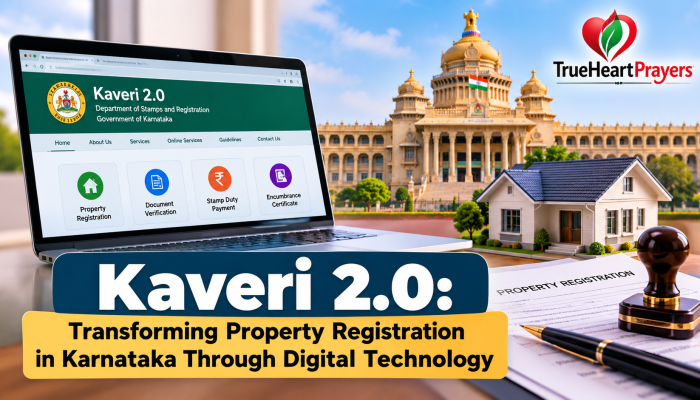
Kaveri 2.0, which stands for Karnataka Valuation and e-Registration Initiative, is an upgraded digital platform developed under the Department of Stamps and Registration. Implemented from April 1, 2023, the system aims to simplify property transactions, reduce paperwork, improve efficiency, and make the registration process more convenient for citizens.
In this blog post, we will explore what Kaveri 2.0 is, its key features, benefits, registration process, and its importance in the digital transformation of government services.
What Is Kaveri 2.0?
Kaveri 2.0 is an online platform designed to streamline property valuation, document registration, and related public services in Karnataka. It enables citizens to complete several preliminary steps of the registration process online, reducing the need for repeated visits to Sub-Registrar Offices.
The platform supports services related to the registration of sale deeds, lease agreements, gift deeds, mortgages, wills, powers of attorney, and other eligible documents. It also provides access to services such as Encumbrance Certificates (EC), certified copies, and property valuation information.

By digitizing these processes, Kaveri 2.0 seeks to create a more efficient and transparent system for citizens, property buyers, sellers, legal professionals, and businesses.
Key Features of Kaveri 2.0
1. Online Document Registration
One of the main features of Kaveri 2.0 is the ability to initiate property and document registration online. Applicants can enter the required details, provide information about the property and the parties involved, and submit documents for processing before attending their scheduled appointment, where required.
2. Property Valuation
Property valuation plays an important role in determining stamp duty and registration charges. Kaveri 2.0 provides access to property valuation information and helps users calculate applicable charges based on the relevant government rules and valuation details.
This feature helps citizens estimate expenses before proceeding with a property transaction.
3. Encumbrance Certificate Services
An Encumbrance Certificate is an important document used to review recorded transactions relating to a property during a specified period. It can help prospective buyers identify registered mortgages, sales, and other relevant entries.
Kaveri 2.0 provides online facilities for accessing Encumbrance Certificate services, making it easier for citizens to obtain property-related information.
However, an EC should not be treated as a complete guarantee of clear ownership or the absence of every possible legal claim.
4. Certified Copies of Registered Documents
The platform supports applications for certified copies of eligible registered documents. Digital access to these services can reduce administrative effort and make it more convenient to retrieve important records.
5. Online Payment Facilities
Kaveri 2.0 supports digital processing and payment facilities for applicable stamp duty and registration charges. Online payments can improve convenience and help citizens maintain transaction records.
Applicants should verify the applicable fees on the official portal before making payments.
6. Appointment Scheduling
The system enables applicants to schedule appointments for registration-related activities. By completing preliminary work online and planning office visits, users can reduce unnecessary waiting and improve the overall registration experience.
7. Digital Records and Improved Transparency
Digital record management makes information easier to organize, retrieve, and process. Automated calculations and electronic workflows can also help reduce manual errors and improve accountability.
How to Use Kaveri 2.0 for Property Registration
The general process for initiating a property registration through Kaveri 2.0 involves the following steps:
Step 1: Visit the Official Portal
Open the Karnataka government’s Kaveri Online Services website:
https://kaveri.karnataka.gov.in/
Step 2: Create an Account or Log In
Register as a user or sign in using the available authentication method.
Step 3: Select the Required Service
Choose the appropriate service, such as property document registration, an Encumbrance Certificate, or a certified copy.
Step 4: Enter Property and Party Details
Provide the required information about the property, buyer, seller, and other parties involved. Ensure that names, addresses, identification details, and property descriptions match the supporting records.
Step 5: Enter Document Details and Upload Documents
Complete the required forms and upload the prescribed documents wherever the service requires them. Review the information carefully before submission.
Step 6: Check Valuation and Applicable Charges
Review the property valuation and the stamp duty and registration fees calculated by the system. The applicable amount depends on the transaction, property details, and current government rules.
Step 7: Make the Required Payment and Book an Appointment
Pay the applicable charges through the available payment facility and schedule an appointment if required.
Step 8: Complete Verification and Registration
Attend the Sub-Registrar Office when required, carrying the original documents and identification. Complete the prescribed identity verification, biometric procedures, and other formalities.
Step 9: Obtain the Registered Document
After registration is completed, access or download the registered document through the available official delivery method.
Note: Exact steps, document requirements, payment options, and in-person formalities may vary according to the transaction type and current portal procedures.
Benefits of Kaveri 2.0
Convenience for Citizens
The online system allows applicants to complete many preliminary tasks from home or the office. This reduces the time and effort involved in preparing for registration.
Reduced Paperwork
Digital forms, document uploads, and electronic records can reduce dependence on physical paperwork and make information easier to manage.
Greater Transparency
Automated valuation and fee calculations can make charges easier to understand. Digital workflows also help improve the traceability of applications and transactions.
Better Time Management
Online submission and appointment scheduling help citizens plan their visits to registration offices more effectively.
Improved Administrative Efficiency
Digital processing can reduce repetitive data entry and help registration officials manage applications more systematically.
Support for Fraud Prevention
Verification procedures, digital records, and automated checks can help identify certain inconsistencies and reduce opportunities for manipulation. However, no digital system can eliminate every type of property fraud or legal dispute.
Easier Access to Records
Online facilities for Encumbrance Certificates and certified copies make it more convenient to access important property-related documents.
Who Can Benefit from Kaveri 2.0?
Kaveri 2.0 is useful for several groups of people, including:
- Property buyers: To access registration services and review recorded property transactions.
- Property sellers: To initiate and complete eligible registration procedures.
- Landowners: To obtain relevant registration services and property-related records.
- Real estate professionals: To support clients with registration-related processes.
- Lawyers and document writers: To prepare and process eligible legal documents.
- Businesses and institutions: To manage relevant registered documents, agreements, and transactions.
The platform is particularly valuable for people who regularly deal with property transactions and require convenient access to registration services.
Challenges and Limitations
Although Kaveri 2.0 offers several advantages, users may still encounter challenges.
Technical Issues
Like other online government platforms, the portal may occasionally experience technical problems, slow response times, or temporary service interruptions.
Digital Literacy
Some users may need assistance navigating online forms, uploading documents, making payments, or understanding registration procedures.
Accuracy of Information
Incorrect property details, spelling mistakes, missing documents, or discrepancies between records can delay the registration process.
Need for Legal Verification
Online registration facilities do not replace independent legal checks. Property buyers should verify ownership, title history, applicable restrictions, and other relevant records before purchasing a property.
In-Person Formalities
Depending on the service and applicable procedures, applicants may still need to visit the Sub-Registrar Office for identity verification, biometrics, document execution, or other mandatory steps.
Addressing these challenges through user education, reliable technical support, and continuous system improvements will be important for maximizing the benefits of the platform.
Tips for Using Kaveri 2.0 Effectively
To make the process smoother, keep the following tips in mind:
- Use the official Karnataka government portal rather than unverified websites.
- Keep property documents and identification records ready before starting an application.
- Double-check property details and personal information before submitting forms.
- Review stamp duty and registration charges before making payments.
- Save application references, payment receipts, and acknowledgements.
- Attend scheduled appointments with the required original documents.
- Consult a qualified property lawyer when a transaction involves complex ownership or legal issues.
- Remember that an Encumbrance Certificate is only one part of property due diligence.
The Future of Digital Property Registration
Kaveri 2.0 represents an important step toward a more technology-enabled registration system in Karnataka. Further improvements in paperless workflows, secure digital signatures, electronic document storage, and integration between government departments could make property-related services even more convenient.
Such developments must be supported by strong cybersecurity, accurate records, dependable infrastructure, and accessible assistance for citizens who are unfamiliar with digital services.
The long-term success of digital registration depends not only on introducing technology but also on ensuring that the system remains reliable, secure, inclusive, and easy to use.
Conclusion
Kaveri 2.0 is a significant initiative in Karnataka’s efforts to modernize property registration and related government services. By bringing several stages of the process online, it helps reduce paperwork, improve convenience, support transparent fee calculations, and simplify access to important documents.
For property buyers, sellers, landowners, and professionals, understanding how to use Kaveri 2.0 can make registration-related tasks easier to manage. Nevertheless, users should verify the accuracy of their documents, follow current government procedures, and seek legal advice when necessary.
(FAQs) About Kaveri 2.0
1. What is Kaveri 2.0?
Kaveri 2.0 is an online property registration and document management platform introduced by the Government of Karnataka under the Department of Stamps and Registration. It helps citizens access property registration and related services digitally.
2. What is the official website of Kaveri 2.0?
The official website is https://kaveri.karnataka.gov.in/. Users can visit the portal to access available registration services and property-related information.
3. What services are available on Kaveri 2.0?
Kaveri 2.0 provides access to services such as property document registration, property valuation, Encumbrance Certificates (EC), certified copies of registered documents, and related registration facilities.
4. How can I register a property through Kaveri 2.0?
Visit the official portal, log in, select the appropriate registration service, enter the required property and party details, submit the necessary documents, review applicable charges, and schedule an appointment if required. Complete any mandatory in-person verification and registration formalities.
Also Read: BlessingTide.com: A Complete Guide to the Website, Features, and Content
5. Can I apply for an Encumbrance Certificate through Kaveri 2.0?
Yes. The portal provides online facilities for Encumbrance Certificate services. Availability, application requirements, fees, and document delivery options may depend on the selected service and current portal procedures.
6. Is Kaveri 2.0 available online?
Yes. Kaveri 2.0 is an online platform that enables users to complete several registration-related activities digitally. Some transactions may still require a visit to the Sub-Registrar Office.
7. What are the benefits of Kaveri 2.0?
The main benefits include reduced paperwork, convenient online access, improved transparency in fee calculations, appointment scheduling, easier access to eligible property records, and more efficient registration procedures.
8. What documents are required for property registration through Kaveri 2.0?
Depending on the transaction, documents may include the sale deed or other relevant instrument, identity and address proofs, property records, photographs, and supporting documents required by the registration authorities. The exact list varies according to the transaction and applicable rules.
9. Can I calculate stamp duty and registration charges using Kaveri 2.0?
The portal provides property valuation and facilities to determine applicable stamp duty and registration charges. The final amount depends on the property, transaction type, applicable valuation rules, and current government rates.
10. Is a visit to the Sub-Registrar Office mandatory?
A physical visit may be required for identity verification, biometric authentication, document execution, or other prescribed formalities. Requirements depend on the type of document and the current registration procedure.
11. Can I download registered property documents through Kaveri 2.0?
The portal supports access to certain document-related services, including applications for certified copies. Availability of online viewing or downloading depends on the document type and the service provided.
12. Is Kaveri 2.0 useful for property buyers?
Yes. Property buyers can use the platform to access relevant registration services, obtain eligible property records, and review recorded transactions. However, buyers should also conduct independent title verification and legal due diligence before purchasing property.
13. What should I do if Kaveri 2.0 is not working?
Check your internet connection, try accessing the portal again later, and ensure that you are using the official website. If the issue persists, contact the relevant Karnataka Department of Stamps and Registration support channel.
14. Does Kaveri 2.0 eliminate property fraud?
No digital platform can eliminate all forms of property fraud. Kaveri 2.0 can support verification and improve record management, but buyers should independently verify ownership, title history, legal restrictions, and other relevant property details.
15. Who can use Kaveri 2.0?
Property buyers, sellers, landowners, legal professionals, document writers, real estate professionals, businesses, and other eligible applicants can use the platform for relevant registration services.
16. When was Kaveri 2.0 introduced?
Kaveri 2.0 was implemented in Karnataka on April 1, 2023, as part of the state’s efforts to modernize property registration and related services.
17. Is Kaveri 2.0 the same as Bhoomi?
No. Kaveri 2.0 primarily supports registration and related services under the Department of Stamps and Registration. Bhoomi is Karnataka’s land records management system. Although the two systems serve different purposes, their services may complement one another in property-related matters.
18. Is Kaveri 2.0 available throughout Karnataka?
Kaveri 2.0 is a Karnataka state government platform intended to support registration services across the state. The availability of particular services may depend on the relevant office, document type, and current system facilities.





