
The MLRIT Login Portal is an important online platform for students of MLR Institute of Technology, Hyderabad. It helps students access essential academic information, learning resources, examination updates, results, and other college-related services.
MLRIT provides different online platforms for academic activities, making it easier for students and faculty members to manage their educational responsibilities. Whether you want to check your examination results, access study materials, or stay updated with college announcements, the online portals provide convenient access to these services.
In this article, we will explain everything you need to know about MLRIT Login, including the official login links, login procedures, available features, password recovery, and common login problems.
What Is MLRIT Login?
MLRIT Login refers to the online login facilities provided by MLR Institute of Technology for its students and other authorized users.
These digital platforms allow students to access academic resources without visiting different college departments for every requirement.
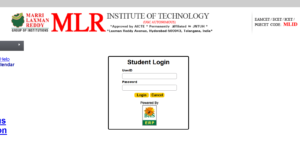
Students can use their assigned login credentials to access the relevant portal, depending on the service they need.
The major online platforms include:
- MLRIT Student Learning Management System (LMS).
- MLRIT Examination Portal.
- Student academic and administrative services.
- Other institution-specific online facilities.
Official MLRIT Login Links
Students should use the appropriate official website depending on their requirements.
| Platform | Official Website |
|---|---|
| MLRIT LMS | https://lms.mlrit.ac.in/ |
| MLRIT Examination Portal | https://exams.mlrinstitutions.ac.in/ |
| MLRIT Official Website | https://mlrit.ac.in/ |
Always verify that you are accessing the correct portal before entering your login credentials.
How to Complete MLRIT Login?
Follow these simple steps to access your MLRIT online account:
- Open your preferred web browser on your mobile phone, laptop, or computer.
- Visit the official MLRIT portal you need.
- Locate the student login option.
- Enter your registered username or roll number, as required.
- Enter your password.
- Check your login information carefully.
- Click the Login button.
- After successful authentication, you can access the available services.
Note: Login requirements may differ between the LMS, examination portal, and other institutional platforms.
MLRIT LMS Login
The Learning Management System (LMS) is an online educational platform used by MLRIT students to access learning-related information.
Students can visit the LMS through the following link:
Steps to Access MLRIT LMS
- Visit the official MLRIT LMS website.
- Find the login section.
- Enter your registered username.
- Enter your password.
- Click the Login option.
- Once logged in, navigate to your available courses and learning resources.
According to an LMS announcement published by the institution, the student username is the roll number. Students are advised to contact their mentor regarding password details.
Features of MLRIT LMS
Some of the learning-related features include:
- Access to online course materials.
- Academic announcements.
- Learning resources.
- Course-related information.
- Faculty updates.
- Educational activities and assignments, where available.
MLRIT Examination Portal Login
The MLRIT Examination Portal helps students access examination-related services.
Official website:
https://exams.mlrinstitutions.ac.in/
Students can use this portal for various examination activities, including:
- Checking semester examination results.
- Paying examination fees.
- Downloading hall tickets.
- Accessing examination-related information.
- Viewing previous question papers.
- Checking academic calendars.
Steps to Access the Examination Portal
- Open the MLRIT Examination Portal.
- Navigate to the Student Login section.
- Enter the required student credentials.
- Provide the password or other requested authentication details.
- Click the login option.
- Select the examination service you want to access.
For examination fee payments and results, follow the instructions displayed on the official portal.
Benefits of MLRIT Online Student Portals
The online portals provide several benefits to students.
1. Easy Access to Academic Information
Students can conveniently access relevant academic information through the available online platforms.
2. Examination Updates
The examination portal helps students stay informed about examination schedules, results, and other important updates.
3. Online Learning Resources
The LMS provides access to educational resources and course-related information.
4. Convenient Fee Payments
Students can use the examination portal’s available online payment facilities to pay examination fees.
5. Saves Time
Online services reduce the need for students to visit college offices for routine academic information.
6. Access from Anywhere
Students can access the supported portals through an internet-connected mobile phone, tablet, or computer.
How to Recover Your MLRIT Login Password?
If you forget your password, follow these suggestions:
- Open the relevant official MLRIT portal.
- Check whether a Forgot Password option is available.
- Follow the password recovery instructions displayed on the website.
- If recovery is unavailable, contact your faculty mentor or the concerned college department.
- Provide the necessary student details for account verification.
For LMS password assistance, students can contact their assigned mentor.
Never share your password or other confidential login information with unauthorized individuals.
Common MLRIT Login Problems and Solutions
Sometimes students may experience difficulties while accessing their accounts. Here are some common issues and possible solutions.
1. Incorrect Username or Password
Check whether your roll number and password are entered correctly. Make sure there are no unnecessary spaces or typing errors.
2. Website Not Opening
Check your internet connection and try accessing the website using another browser.
3. Forgotten Password
Use the available password recovery facility or contact your mentor or college administration.
4. Account Login Issues
If your account is not working, contact the relevant department to verify your account status.
5. Slow Website Loading
Try clearing your browser cache, refreshing the page, or accessing the portal during a less busy period.
Important Tips for MLRIT Students
To maintain a smooth and secure online experience, students should follow these tips:
- Always use the official MLRIT websites.
- Keep your login credentials confidential.
- Avoid logging in through suspicious third-party websites.
- Log out after using a shared computer.
- Check the LMS regularly for academic announcements.
- Keep track of examination schedules and important deadlines.
- Contact the appropriate college department if you experience technical difficulties.
Conclusion
The MLRIT Login Portal makes it easier for students to access important academic and examination-related services online. Through platforms such as the MLRIT LMS and Examination Portal, students can access learning materials, examination information, semester results, hall tickets, and other educational resources.
Students should always use the appropriate official website and keep their login credentials secure. If they encounter any login difficulties, contacting their assigned mentor or the relevant college department is the best way to get assistance.
Using these online facilities regularly can help MLRIT students stay organized, informed, and up to date with their academic activities.
(FAQs) About MLRIT Login
1. What is MLRIT Login?
MLRIT Login is an online login facility that allows students of MLR Institute of Technology to access academic information, learning materials, examination updates, and other student-related services.
2. What is the official website for MLRIT Login?
Students can visit the official MLRIT website at https://mlrit.ac.in/ to find institutional information and access relevant online services.
3. How can I log in to the MLRIT Student Portal?
Visit the relevant MLRIT portal, enter your registered username and password, and click the Login button to access your account.
4. What is the MLRIT LMS Login link?
The official MLRIT LMS website is https://lms.mlrit.ac.in/.
Also Read: PetraTrucoff: Everything You Need to Know About This Online Gaming Platform
5. What is the username for MLRIT LMS?
Students can generally use their assigned roll number as their LMS username.
6. How can I reset my MLRIT Login password?
Use the available Forgot Password option or contact your assigned faculty mentor for password assistance.
7. How can I check MLRIT examination results?
Visit the official MLRIT Examination Portal at https://exams.mlrinstitutions.ac.in/ and follow the instructions to access your examination results.
8. Can I download my MLRIT hall ticket online?
Yes. Students can check the Examination Portal for available hall ticket download facilities and follow the instructions provided.
9. Can I access MLRIT LMS from my mobile phone?
Yes. You can open the MLRIT LMS website using a mobile browser with a stable internet connection.
10. What services are available through MLRIT online portals?
Depending on the portal, students can access learning materials, academic announcements, examination results, hall tickets, fee payment facilities, and other academic information.
11. Why is my MLRIT Login not working?
Login problems may occur because of incorrect credentials, internet connectivity issues, browser problems, or account-related restrictions. Verify your details and try again.
12. Is MLRIT Student Login available 24/7?
The online portals may generally be accessible throughout the day, although maintenance, technical issues, or scheduled updates can temporarily affect availability.
13. Is there any fee for using MLRIT LMS?
Students generally do not need a separate subscription to access the institutional LMS. However, specific academic services may involve applicable fees.
14. How can I contact MLRIT for login-related problems?
Students should contact their assigned faculty mentor or the relevant college department for assistance with login credentials and technical issues.
15. Is MLRIT Login safe?
Yes, provided you access the official institutional websites, keep your password confidential, and avoid sharing your login credentials with others.





