
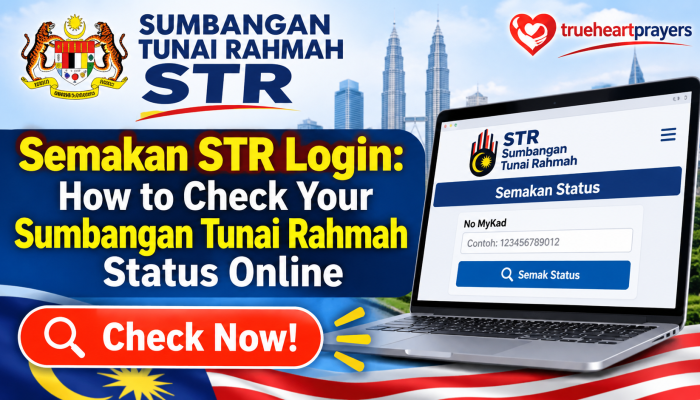
The Malaysian government provides financial assistance through Sumbangan Tunai Rahmah (STR) to help eligible individuals and families manage their daily living expenses. If you have applied for STR or are an existing recipient, checking your application status online is an important step to find out whether your application has been approved, is still being processed, or requires further action.
In this article, we will explain everything you need to know about Semakan STR Login, including how to access the official portal, check your application status, reset your password, and understand your payment information.
What Is Semakan STR?
Semakan STR is an online service that allows Malaysians to check their Sumbangan Tunai Rahmah application and payment status.
Through the official STR portal, applicants can:
- Check their STR application status.
- View approval information.
- Check payment details.
- Review their registered personal information.
- Update eligible application details.
- Access their STR account securely.
The online checking system makes it easier for applicants to obtain information without visiting a government office.
Official STR Login Portal
To check your STR status, you should use the official government website.
Official portal: https://bantuantunai.hasil.gov.my/
Always ensure that you are accessing the official Malaysian government website before entering your personal information or login credentials.
How to Login to the STR Portal
Follow these simple steps to access your STR account:
- Open your internet browser on your mobile phone, laptop, or computer.
- Visit the official STR website.
- Find the MySTR login section.
- Enter your registered MyKad identification number.
- Enter your account password.
- Complete any security verification if requested.
- Click the login button to access your account.
- Once logged in, navigate to the relevant section to check your STR application status.
After successful login, you can review the information available in your personal STR account.
How to Check STR Application Status Online
If you want to know whether your STR application has been approved, follow these steps:
- Visit the official STR portal.
- Log in using your MyKad number and password.
- Open the application status section.
- Review the latest information displayed on your account.
- Check whether your application is approved, pending, or unsuccessful.
Make sure that your personal information is accurate and up to date to avoid unnecessary application issues.
How to Register for a MySTR Account
If you are accessing the STR portal for the first time, you may need to register for a MySTR account.
The general registration process is as follows:
- Visit the official STR website.
- Select the registration option if available.
- Enter your MyKad identification number.
- Provide the required personal information.
- Follow the identity verification instructions.
- Create a secure password.
- Complete the registration process.
Once your account has been successfully registered, you can use your login details to access the portal.
What If You Forget Your STR Login Password?
Forgetting your MySTR password is a common problem. Fortunately, the portal provides an account recovery process.
Here is what you can do:
- Open the official STR website.
- Navigate to the MySTR login page.
- Select the forgotten password option.
- Enter the requested identification details.
- Follow the verification instructions.
- Create a new password if your identity is successfully verified.
Use a strong password that is difficult for others to guess. Never share your password or verification codes with anyone.
Understanding STR Application Status
When checking your STR application, you may encounter different status descriptions.
| Application status | Meaning |
|---|---|
| Approved (Lulus) | Your application has been approved. |
| Pending (Dalam Proses) | Your application is still being reviewed. |
| Unsuccessful (Tidak Lulus) | Your application has not been approved. |
| Payment in Process | Payment processing is underway. |
The exact status descriptions and available information may vary depending on the current STR payment phase and application cycle.
Why Can’t I Login to MySTR?
Sometimes, applicants experience difficulties accessing their STR accounts. Several reasons may explain this problem.
1. Incorrect MyKad number
Make sure you enter your identification number correctly without unnecessary spaces or typing errors.
2. Incorrect password
Check whether your password is correct. If you cannot remember it, use the password recovery option.
3. Website maintenance
The official portal may occasionally become unavailable because of scheduled maintenance or technical updates.
4. Heavy website traffic
During application announcements and payment periods, many people may access the website simultaneously.
5. Account verification issues
You may need to complete additional verification before accessing your account.
If the problem continues, contact the relevant official government support channel.
Important Tips for STR Applicants
To make your STR application and account management easier, keep these tips in mind:
- Always use the official STR website.
- Keep your MyKad information accurate.
- Remember your MySTR login credentials.
- Check your application status regularly.
- Review official announcements about payment dates.
- Avoid sharing your personal information with unknown websites.
- Do not trust messages promising guaranteed STR approval in exchange for payment.
Conclusion
Semakan STR Login is a convenient way for Malaysians to access their Sumbangan Tunai Rahmah application and payment information online. By using the official MySTR portal, applicants can check their application status, review available payment details, and manage their accounts without unnecessary visits to government offices.
If you are an STR applicant or recipient, remember to check your account regularly and follow official government announcements for the latest information. Always use the official portal to protect your personal information and avoid online scams.
(FAQs) About Semakan STR Login
1. What is Semakan STR Login?
Semakan STR Login is an online service that allows eligible Malaysians to access their MySTR accounts and check their Sumbangan Tunai Rahmah application and payment status.
2. What is the official website for STR 2027?
The official STR 2027 website is https://bantuantunai.hasil.gov.my/. Applicants can use this portal to log in, check application details, and access relevant STR information.
3. How can I check my STR 2027 application status?
Visit the official STR portal, log in using your MyKad number and password, and select the application status section to view your latest application information.
4. How do I log in to MySTR for the first time?
Visit the official portal, enter your MyKad identification number, and follow the registration or account verification instructions if you have not created a MySTR account before.
5. What should I do if I forget my MySTR password?
Click the Forgot Password option on the MySTR login page. Follow the identity verification instructions to reset your password and regain access to your account.
6. Can I check STR status without logging in?
You may be able to access limited checking services through the official portal, but detailed application and payment information generally requires MySTR login.
7. How do I know whether my STR application is approved?
After logging in, check your application status. If the status displays Lulus, your application has been approved. You can also review the payment information available in your account.
8. Why is my STR application still showing Dalam Proses?
Dalam Proses means your application is still undergoing review. Check the official portal regularly for updates and wait for the relevant announcement.
9. What does Tidak Lulus mean in STR status?
Tidak Lulus means your application has not been approved. Review the reason provided in the portal and check whether you qualify to submit an appeal under the current programme guidelines.
10. Can I check STR payment details online?
Yes. Log in to your MySTR account and navigate to the payment information section to review available payment details.
11. Can I access MySTR using my mobile phone?
Yes. The MySTR portal can be accessed through a smartphone, tablet, laptop, or desktop computer with an internet connection.
12. Is MySTR registration free?
Yes. Registering for and accessing your MySTR account through the official government portal is free.
13. What should I do if the STR website is not working?
Try accessing the website again after some time. You can also check your internet connection, clear your browser cache, or use another browser. High traffic and scheduled maintenance may temporarily affect access.
14. Can I update my personal information in MySTR?
Eligible applicants can update certain personal information through the official portal, subject to the current STR application rules and available update options.
15. Is Semakan STR Login safe?
Yes, provided you access the official government website. Never share your MyKad details, password, or verification codes with suspicious websites or unknown individuals.
16. How can I contact STR customer support?
For assistance, visit the official STR portal or contact the Inland Revenue Board of Malaysia (LHDNM) through its official customer service channels.
17. Do existing STR recipients need to create a new MySTR account every year?
Generally, existing users can continue using their existing MySTR login credentials. However, they should review and update their application information according to the latest programme requirements.
18. Where can I find the latest STR 2027 announcements?
Visit the official STR website at https://bantuantunai.hasil.gov.my/ for announcements about application periods, eligibility, payment phases, and other programme updates.





