
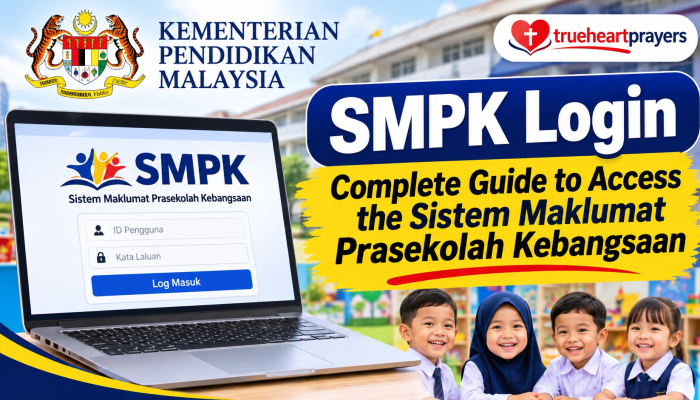
Introduction
SMPK Login is an online portal designed to help teachers, school administrators, and authorized education personnel manage preschool information in Malaysia. SMPK stands for Sistem Maklumat Prasekolah Kebangsaan, a system developed under the Ministry of Education Malaysia (KPM).
The platform provides a centralized way to manage preschool-related information, including student records, teacher details, classroom information, and institutional data.
In this article, we will explain what SMPK is, how to access the official login portal, its main features, common login problems, and useful tips for users.
What Is SMPK Login?
SMPK is a national preschool information management system used to collect, organize, update, and maintain preschool education records.
It helps authorized users manage important information through a centralized online platform. By reducing reliance on manual paperwork, the system supports more organized and consistent preschool administration.

The platform is particularly useful for preschool teachers, administrators, and relevant education officers who are responsible for maintaining accurate institutional and student information.
Official SMPK Login Portal
Users can access the SMPK system through its official website.
SMPK Official Portal
Sistem Maklumat Prasekolah Kebangsaan
Access the official login page using the link below.
Visit SMPK Login PortalOfficial website: smpk.moe.gov.my
Always check the website address before entering your login credentials to protect your account.
How to Login to SMPK: Step-by-Step Guide
Follow these simple steps to access your SMPK account:
Step 1: Visit the official website
Open your preferred web browser, such as Google Chrome or Microsoft Edge, and visit the official SMPK portal at https://smpk.moe.gov.my/.
Step 2: Enter your User ID
Once the login page appears, locate the User ID field. Enter the username or identification details provided by your school or authorized administrator.
Step 3: Enter your password
Type your registered password into the password field. Make sure that the spelling, capitalization, and characters are correct.
Step 4: Click the login button
Click the arrow or login control displayed beside the password field to submit your credentials.
Step 5: Access your account
After successful authentication, you can access the available system features according to your assigned user permissions.
Main Features of the SMPK System
SMPK offers several useful features to support preschool administration and information management.
1. Student Information Management
The system helps authorized users maintain preschool student records. This includes relevant student details and other educational information.
2. Teacher Information Management
SMPK supports the management of preschool teacher and staff information, helping administrators maintain organized institutional records.
3. Classroom Management
Users can manage information about preschool classes and related institutional details.
4. Institutional Information
The platform provides a centralized system for maintaining preschool institution information, supporting better coordination and reporting.
5. SKPK Module
SMPK also includes the Standard Kualiti Prasekolah Kebangsaan (SKPK) module, which supports the assessment of preschool quality according to established standards.
Common SMPK Login Problems and Solutions
Sometimes, users may experience difficulties when accessing the SMPK portal. Here are some common problems and possible solutions.
| Login Problem | Possible Solution |
|---|---|
| Incorrect password | Check your password carefully. |
| Incorrect User ID | Verify your registered login details. |
| Website not loading | Check your internet connection. |
| Browser issues | Try another updated browser. |
| Account access problem | Contact your school administrator or relevant education office. |
What to Do If You Forget Your SMPK Password?
If you forget your password, contact your school administrator, preschool coordinator, or the relevant PPD/JPN office for assistance.
You can also seek support through the official SMPK administration email:
smpk@moe.gov.my
Do not share your password or sensitive account information with unauthorized individuals.
Who Can Use SMPK?
SMPK is intended for authorized users involved in preschool information management.
These may include:
-
Preschool teachers.
-
School administrators.
-
Preschool coordinators.
-
Relevant education officers.
-
Authorized personnel responsible for preschool institutional records.
Access depends on the user’s assigned permissions and institutional responsibilities.
Difference Between SMPK and ePrasekolah
Many people confuse SMPK with ePrasekolah because both systems are related to preschool education in Malaysia.
However, they serve different purposes.
| SMPK | ePrasekolah |
|---|---|
| Manages preschool information. | Supports preschool admission applications. |
| Mainly used by authorized education personnel. | Used by parents and guardians for applications. |
| Supports institutional and student data management. | Supports the preschool application process. |
Parents who want to apply for preschool admission should visit the official ePrasekolah website rather than attempting to access the internal SMPK system.
Tips for Using SMPK Safely
To ensure a smooth and secure experience when using SMPK, consider the following tips:
-
Always access the official SMPK website.
-
Keep your login credentials private.
-
Use a secure internet connection.
-
Update your browser regularly.
-
Check student and institutional information before submitting changes.
-
Log out after completing your work, especially when using a shared computer.
-
Contact the relevant administrator if you experience account-related problems.
Conclusion
SMPK Login is an important online platform for managing preschool information in Malaysia. Developed under the Ministry of Education Malaysia, the system helps authorized teachers, administrators, and education personnel organize student records, teacher information, classroom details, and institutional data.
Accessing the portal is straightforward: visit the official website, enter your User ID and password, and follow the login instructions.
(FAQs) About SMPK Login
1. What is SMPK Login?
SMPK Login is an online access portal for the Sistem Maklumat Prasekolah Kebangsaan, a preschool information management system developed under Malaysia’s Ministry of Education (KPM).
2. What is the official SMPK login website?
The official SMPK portal can be accessed at https://smpk.moe.gov.my/.
3. Who can use the SMPK system?
Authorized preschool teachers, school administrators, education officers, and other approved personnel can use the system according to their assigned access permissions.
4. How do I log in to SMPK?
Visit the official SMPK website, enter your registered User ID and password, and click the login button to access your account.
Also Read: TechBarks: A Complete Guide to the Technology, AI Tools, and Digital Information Platform
5. What should I do if I forget my SMPK password?
Contact your school administrator or the relevant education office for assistance with recovering or resetting your password.
6. Why can’t I access the SMPK login page?
This problem may occur because of a poor internet connection, temporary server maintenance, browser compatibility issues, or incorrect website access. Try refreshing the page or using another browser.
7. Can I access SMPK using my mobile phone?
Yes, you can try opening the SMPK portal using a mobile browser. However, a desktop or laptop may provide a better experience when managing records.
8. Is SMPK available 24 hours a day?
The portal is an online system, but access may occasionally be affected by scheduled maintenance, technical problems, or server downtime.
9. What information can be managed through SMPK?
Authorized users can manage relevant preschool information, including student records, teacher details, classroom information, and institutional data.
10. What is the difference between SMPK and ePrasekolah?
SMPK focuses on preschool information management, while ePrasekolah is primarily used by parents and guardians to submit preschool admission applications.
11. Is SMPK Login free to use?
The system is provided for authorized education-related purposes. Users should follow the access policies established by the Ministry of Education Malaysia.
12. What is the SKPK module in SMPK?
SKPK stands for Standard Kualiti Prasekolah Kebangsaan. It supports the assessment and monitoring of preschool quality based on established standards.
13. Can parents use SMPK to check their child’s admission status?
Parents should use the designated ePrasekolah portal or official admission channels to check application-related information.
14. What should I do if my SMPK account is locked?
Contact your school administrator or the relevant education authority. They can guide you through the appropriate account recovery process.
15. How can I keep my SMPK account secure?
Use a strong password, avoid sharing login credentials, access the official website, and always log out after using the system on a shared device.
16. Where can I get help with SMPK login problems?
For assistance, contact your school administrator, district education office (PPD), state education department (JPN), or the official SMPK support channel.
17. Do I need special software to use SMPK?
Generally, you need an internet connection and a modern web browser, such as Google Chrome or Microsoft Edge.
18. Can multiple users access SMPK?
Yes, different authorized users can access the system using their own assigned credentials and permissions.
19. Is SMPK the same as a school management system?
Not exactly. SMPK specifically focuses on preschool information management rather than covering every aspect of general school administration.
20. Why is it important to update information in SMPK?
Keeping information accurate and updated helps improve preschool record management, administrative coordination, reporting, and educational planning.





