
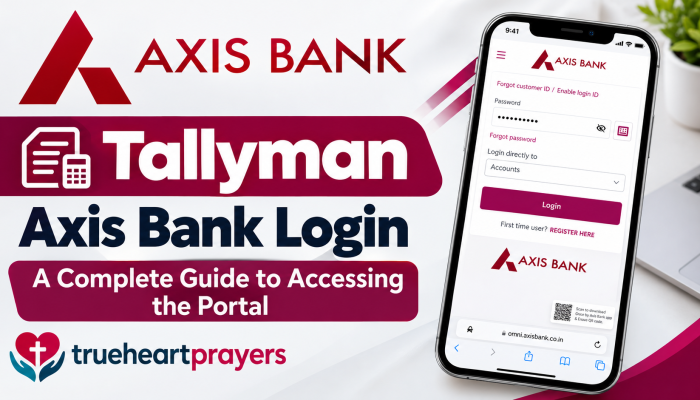
The Tallyman Axis Bank Login portal is a commonly searched banking-related login service associated with collection management and recovery operations. Users looking for this portal generally want to understand how to access their accounts, use the system, resolve login problems, and protect their credentials.
Axis Bank has used Tallyman collections management software as part of its collection-related operations. However, access to this system may be restricted to authorized employees, collection teams, or other approved users. It is important to distinguish this portal from regular Axis Bank internet banking.
In this guide, we explain the Tallyman Axis Bank login process, its possible uses, common login issues, and important security precautions.
What Is Tallyman Axis Bank?
Tallyman is a collections management system designed to help organizations manage collection-related activities and workflows. Axis Bank has referenced Tallyman in its collections automation operations.
Depending on the user’s assigned role and access permissions, the system may support activities such as:
- Managing assigned collection cases.
- Reviewing customer account or recovery information.
- Monitoring collection activities and case status.
- Organizing follow-ups and collection tasks.
- Supporting authorized collection teams in their daily work.
The features available to each user depend on the organization’s implementation and assigned permissions.
How to Access Tallyman Axis Bank Login
If you are an authorized user, follow these general steps to access the Tallyman portal.
Step 1: Open the Authorized Login Portal
Use the Tallyman login URL provided by your Axis Bank administrator, supervisor, or authorized IT department.
Some third-party websites mention collections.axisbank.co.in as a Tallyman access address, but users should independently verify that the address is currently valid and officially authorized before entering credentials.
Step 2: Enter Your Login Credentials
Once the verified login page opens, enter the username and password assigned to you. Make sure the information is correct and that Caps Lock is not affecting your password.
Step 3: Complete Additional Verification
If the portal requests an OTP, verification code, or another authentication step, complete it using the approved method associated with your account.
Never share your OTP or password with another person.
Step 4: Open Your Assigned Dashboard
After successful authentication, the system may display a dashboard or menu based on your role. Use only the functions authorized for your account.
Step 5: Log Out After Completing Your Work
When you finish, log out of the portal, especially when using a shared computer or office workstation.
Important: The steps above describe a general login workflow. The exact screens and authentication requirements may differ depending on the portal version and your organization’s access arrangements.
Main Features of the Tallyman System
Tallyman-related collection management systems can help organizations coordinate their collection operations.
1. Collection Case Management
Authorized users may be able to review assigned cases and monitor their progress through the collection process.
2. Follow-Up Management
Collection teams can use workflow tools to organize follow-up activities and track the status of assigned tasks, depending on the system configuration.
3. Collection Performance Monitoring
Management teams may use reports and operational information to evaluate collection activities and identify cases requiring attention.
4. Workflow Automation
Collection management software can help standardize repetitive processes, organize case assignments, and reduce manual administrative work.
5. Team Coordination
Role-based access and shared case information can help authorized teams coordinate their activities more efficiently.
The availability of these features depends on the particular Tallyman implementation used by the organization.
Tallyman Axis Bank Login vs. Axis Bank Internet Banking
It is important not to confuse the Tallyman portal with the bank’s customer-facing online banking service.
| Feature | Tallyman Portal | Axis Bank Internet Banking |
|---|---|---|
| Primary purpose | Collection management and related workflows | Personal or business banking |
| Typical users | Authorized personnel | Registered banking customers |
| Login credentials | Assigned organizational credentials | Bank-issued or registered login credentials |
| Main activities | Collection-related case management | Account information, transfers, statements, and other banking services |
If you want to check your personal bank balance, transfer money, or download a statement, use the official Axis Bank website and select the appropriate internet banking option.
Common Tallyman Axis Bank Login Problems and Solutions
Users may occasionally experience difficulties accessing the portal. The following troubleshooting steps can help.
Incorrect Username or Password
Check your credentials carefully. If the problem continues, contact your administrator to confirm your username or request a password reset through the approved process.
Forgotten Password
Use the password recovery option if it is available on the verified login page. If not, contact your authorized IT support team or supervisor.
Do not rely on password-reset links received from unknown websites or unofficial messages.
Account Locked
Multiple unsuccessful login attempts may trigger an account lock. Avoid repeatedly trying different passwords. Contact the relevant administrator to verify your account status and request assistance.
Portal Not Opening
If the page does not load, check your internet connection and try refreshing the page. You can also try an updated browser or clear the browser cache.
If the problem persists, the portal may be temporarily unavailable or require access through an approved organizational network.
OTP or Verification Issues
Confirm that you are using the correct registered device or approved authentication method. If the verification code does not arrive, contact the appropriate support team rather than sharing personal information with an unknown person offering help.
Access Denied
An access-denied message may indicate that your account does not have the required permissions or that your access has expired. Ask your administrator to verify your assigned role.
Security Tips for Tallyman Axis Bank Users
Because collection systems may involve confidential financial or customer information, users should follow strong security practices.
- Use verified URLs: Access the portal through a link supplied by an authorized source.
- Protect your password: Never share your login credentials with colleagues or strangers.
- Keep OTPs private: Bank or system support staff should not need you to disclose your authentication code.
- Avoid public computers: Use an approved, secure workstation whenever possible.
- Check browser security: Do not enter credentials on suspicious pages or sites with unexpected domain names.
- Log out properly: End your session when your work is complete.
- Report suspicious activity: Contact the relevant IT or security team if you notice unusual account activity.
If you suspect that your credentials have been compromised, report the issue immediately and follow the organization’s account-security procedures.
How to Contact Support for Tallyman Login Assistance
If you cannot access the portal, the most appropriate contact depends on your role.
For employees and authorized collection personnel: Contact your supervisor, system administrator, or internal IT support team.
For Axis Bank customers: Use the official Axis Bank website to find the appropriate customer support channel. Regular banking support may not be able to provide access to an internal collections management system.
For suspected fraud: Do not follow instructions from unofficial callers or messages requesting passwords, OTPs, or confidential customer information.
Benefits of Using a Collection Management System
A collection management platform can offer several operational benefits when implemented correctly.
First, it can help teams organize their assigned cases and follow-up activities. Second, centralized information can improve visibility into ongoing work. Third, automated workflows may reduce repetitive manual tasks. Finally, reporting tools can help managers monitor progress and identify areas that require improvement.
These benefits depend on the organization’s processes, system configuration, and the accuracy of the information entered by authorized users.
Conclusion
The Tallyman Axis Bank Login portal is associated with collection management rather than ordinary personal internet banking. Authorized users should access it through a verified link provided by their organization, enter their assigned credentials, and follow the required authentication procedures.
If you experience login errors, forgotten passwords, account restrictions, or access-denied messages, contact your administrator or the appropriate official support channel.
FAQs About Tallyman Axis Bank Login
1. What is Tallyman Axis Bank Login?
Tallyman Axis Bank Login refers to access to a collection management system associated with Axis Bank’s collection operations. It is generally intended for authorized employees and personnel rather than regular banking customers.
2. How can I log in to the Tallyman Axis Bank portal?
To log in, open the verified portal URL provided by your authorized administrator, enter your assigned username and password, and complete any required authentication steps.
3. Who can use the Tallyman Axis Bank portal?
Access is generally intended for authorized personnel involved in collection management and related operations. Users may need approved credentials and specific system permissions.
4. Is Tallyman Axis Bank Login the same as Axis Bank Internet Banking?
No. Tallyman is associated with collection management, while Axis Bank Internet Banking is designed for customers who want to access banking services such as account information, fund transfers, and statements.
Also Read: Pushwiki com: A Complete Guide to Its Features, Content, and Benefits
5. What should I do if I forget my Tallyman login password?
Use the password recovery option if it is available on the verified portal. Otherwise, contact your authorized IT administrator or supervisor for assistance.
6. Why is my Tallyman Axis Bank account locked?
An account may be locked after repeated unsuccessful login attempts or because of security restrictions. Contact the appropriate administrator to verify your account status and request access restoration.
7. What should I do if the Tallyman login page is not opening?
Check your internet connection, refresh the page, and try an updated browser. If the issue continues, contact your IT support team because the portal may be unavailable or require an approved network connection.
8. Can Axis Bank customers use Tallyman to check their bank balance?
Tallyman is not the usual portal for checking personal bank balances. Customers should use Axis Bank’s official website or its authorized banking application to access personal banking services.
9. Is the Tallyman Axis Bank login portal safe?
It can be used safely when accessed through an officially verified URL and with authorized credentials. Always check the website address and avoid entering passwords or OTPs on unfamiliar websites.
10. What should I do if I receive an access-denied message?
An access-denied message may indicate insufficient permissions, expired access, or an account restriction. Contact your administrator or supervisor to check your account permissions.
11. Can I access Tallyman Axis Bank Login on my mobile phone?
Mobile access depends on the portal’s configuration and your organization’s security policies. Follow your administrator’s instructions and use only an approved device and browser.
12. How can I contact support for Tallyman login problems?
Authorized employees should contact their supervisor or internal IT support team. Banking customers should use the customer support details available on the official Axis Bank website.
13. Does Tallyman Axis Bank require an OTP?
Additional authentication, including an OTP or verification code, may be required depending on the portal configuration and account security settings. Follow the instructions on the verified login page.
14. What is the official Tallyman Axis Bank login URL?
The current official login address should be confirmed through Axis Bank or an authorized organizational administrator. Avoid relying on unverified third-party links before entering confidential information.
15. What are the main benefits of the Tallyman system?
Collection management systems can help authorized teams organize cases, coordinate follow-ups, monitor collection activities, and manage operational workflows more efficiently. Available features depend on the organization’s implementation.





