
Introduction
The University of Kigali (UoK) is a higher education institution in Rwanda that provides students with opportunities to pursue academic and professional development. As universities increasingly adopt digital technologies, online student portals have become important tools for managing academic information, accessing university services, and staying updated on campus activities.
The University of Kigali Student Portal is a useful starting point for students who want to access online academic services and manage their university-related activities more conveniently. This guide explains what a student portal is, its potential benefits, how to access it, and what students should know when using online university services.
What Is the University of Kigali Student Portal?
The University of Kigali Student Portal is an online platform intended to support students in accessing university-related information and digital services. Depending on the services enabled for a student’s account, a university portal may provide access to academic records, registration information, fee statements, examination details, and other administrative resources.
For current students, an official student portal can help simplify routine academic tasks by making important information available online rather than requiring every enquiry to be handled in person.
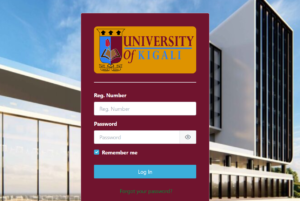
Students should consult the university’s official website or the relevant university department to confirm the current portal address and the specific services available to their programme.
How to Access the University of Kigali Student Portal
Students can follow these general steps to access their university’s online student services:
- Visit the official university website: Open the University of Kigali’s official website and look for the student portal, e-learning, or student services section.
- Select the appropriate portal: Choose the platform intended for your student account. Different services, such as learning management and academic administration, may use separate systems.
- Enter your login credentials: Provide the username or student identification details and password supplied by the university.
- Open your student dashboard: After successful login, review the available academic and administrative services.
- Log out securely: If you use a shared computer, always log out after completing your activities.
Important: Always verify that you are using an official University of Kigali link before entering your login information. Do not rely on unofficial websites that request student credentials.
Key Features of a University Student Portal
Student portals commonly provide several useful features. The availability of each feature depends on the university’s systems and the student’s account permissions.
1. Student Registration
Online registration systems can help students review programme information, complete registration procedures, and check their enrolment status. Students should follow the university’s published registration deadlines and instructions.
2. Academic Records and Results
Where enabled, a student portal may allow students to view examination results, course information, academic progress, and other records associated with their studies.
Students should contact the relevant academic office if information appears incorrect or if results are missing.
3. Tuition Fees and Payment Information
Some university portals provide access to fee statements, outstanding balances, payment confirmations, and financial information. Students should verify payment instructions and use only officially approved payment channels.
4. Course Information
A portal may display information about enrolled courses, programme requirements, semester activities, and other academic details. This can help students organise their studies and keep track of university requirements.
5. Examination Information
Depending on the services provided, students may find examination schedules, assessment information, or related announcements through online university systems.
Students should confirm examination dates and venues using official university communications.
6. Online Learning Resources
Universities may operate a separate e-learning platform for accessing lecture materials, assignments, online discussions, and course activities. Students should check whether the University of Kigali provides a separate learning management system for their programme.
7. University Announcements
Digital platforms can help students stay informed about registration periods, academic calendars, examinations, administrative notices, and other important university updates.
Benefits of Using the University of Kigali Student Portal
Using online student services offers several potential advantages.
Convenience: Students can access available information online without always visiting an administrative office.
Time savings: Digital access can reduce the time spent making routine enquiries and checking academic information.
Better organisation: Students can review important academic details and plan their activities more effectively.
Improved access to information: Online services can make university information easier to retrieve when students need it.
Greater independence: Students can manage many routine academic tasks themselves, subject to the university’s rules and available services.
These benefits depend on the portal’s functionality, system availability, and the services activated for each student.
What to Do If You Cannot Log In
Login problems can occur for several reasons, including incorrect credentials, forgotten passwords, account activation issues, or temporary technical difficulties.
If you cannot access your student account, try the following solutions:
- Check that your username and password are entered correctly.
- Confirm that Caps Lock is not enabled unintentionally.
- Use the password-reset option if it is available.
- Try another browser or clear your browser cache.
- Check your internet connection and try again later if the system is temporarily unavailable.
- Contact the university’s IT support team or student administration office if the problem continues.
When requesting assistance, provide your student identification details through the university’s approved support channel. Never send your password to anyone.
Tips for Using the Student Portal Safely
Protecting your academic information is important when using online university services. Keep these security practices in mind:
- Use a strong, unique password for your student account.
- Never share your login credentials with other people.
- Access the portal through verified university links.
- Avoid logging in on public computers whenever possible.
- Always log out after using a shared device.
- Keep your contact details updated where the university permits it.
- Save copies of important registration confirmations and payment receipts.
- Contact university support promptly if you suspect unauthorised account access.
Following these practices can help protect your personal information and reduce the risk of account misuse.
Conclusion
The University of Kigali Student Portal can serve as an important digital resource for students who need convenient access to university information and online academic services. By learning how to navigate the relevant platforms, checking official announcements, and following safe login practices, students can manage their academic responsibilities more efficiently.
For accurate login instructions, current portal links, and information about available services, students should rely on the University of Kigali’s official website and authorised university support channels.
(FAQs) About the University of Kigali Student Portal
1. What is the University of Kigali Student Portal?
The University of Kigali Student Portal is an online platform designed to help students access university-related information and academic services, depending on the features available to their accounts.
2. How do I access the University of Kigali Student Portal?
Visit the official University of Kigali website and look for the student portal or student services section. Follow the university’s instructions to log in using your student account credentials.
3. What is the official University of Kigali website?
You can visit the University’s website at https://uok.ac.rw/ to look for official information and student services.
4. What details do I need to log in to the student portal?
You may need your student identification number, username, and password provided by the university. The exact login requirements depend on the platform.
Also Read: Google Block Breaker: A Fun and Addictive Arcade Game You Can Play Online
5. Can I check my examination results through the student portal?
Examination results may be available through the university’s designated student information system. Contact the relevant academic office if you cannot find your results.
6. Can I register for courses online?
Online course registration may be available depending on your programme and the university’s registration procedures. Follow the official instructions and complete registration before the published deadline.
7. Can I check my tuition fees on the student portal?
Some university systems provide access to fee statements, outstanding balances, and payment information. Check the services available in your account or contact the university’s finance office.
8. What should I do if I forget my student portal password?
Use the password-reset option if one is available. If you cannot reset your password, contact the university’s IT support team or student administration office.
9. Why can’t I log in to the University of Kigali Student Portal?
Login problems may result from incorrect credentials, an inactive account, a forgotten password, or temporary technical issues. Verify your details and contact university support if the problem persists.
10. Can newly admitted students access the portal?
Newly admitted students may receive access after completing the required admission and account-activation procedures. Follow the instructions provided by the university.
11. Is the University of Kigali Student Portal available on mobile phones?
You can generally access web-based student services using a mobile phone and a compatible browser, provided the platform supports mobile browsing and you have an internet connection.
12. Is the student portal the same as the e-learning platform?
No, not necessarily. A student portal typically focuses on administrative and academic information, while an e-learning platform provides access to course materials, assignments, and online learning activities.
13. How can I contact the university for portal assistance?
Visit the official University of Kigali website at https://uok.ac.rw/ to find current contact information and the appropriate department for technical or academic assistance.
14. Is it safe to use the University of Kigali Student Portal?
Use only verified university links, protect your password, avoid sharing login details, and log out when using a shared computer.
15. What should I do if my academic information is incorrect?
Contact the appropriate university department, such as student administration or the academic office, and provide the necessary details through an authorised communication channel.





