
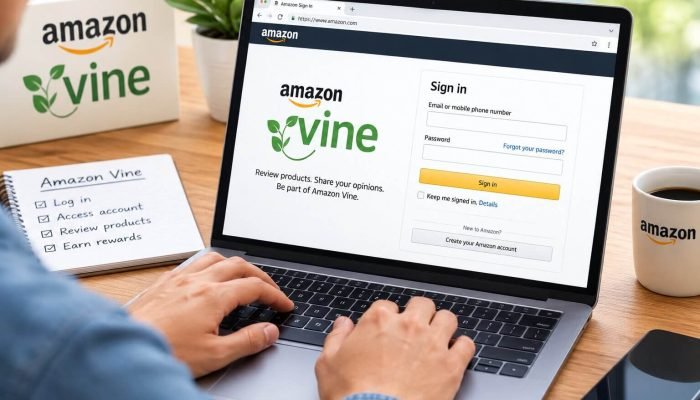
Amazon Vine is a popular program designed to help customers make informed purchasing decisions through honest product reviews. If you have searched for Amazon Vine Login, you may want to access your Vine account, understand how the program works, or learn how to become an Amazon Vine reviewer.
Unlike a standard product review feature, Amazon Vine is an invitation-only program that connects selected reviewers, known as Vine Voices, with sellers who want genuine feedback on their products. Participants can request eligible products at no cost in exchange for sharing honest and unbiased reviews.
In this article, we will explain how Amazon Vine login works, how to access the dashboard, what to do if you encounter login problems, and how sellers can use the program.
What Is Amazon Vine?
Amazon Vine is a product review program operated by Amazon. It invites selected customers to test products and publish reviews based on their actual experiences. These reviews help other shoppers evaluate products before making a purchase.
The program serves two main purposes:
- For reviewers: It provides access to eligible products at no cost in exchange for honest reviews.
- For sellers: It offers an opportunity to receive customer feedback and build awareness for eligible product listings.

Vine reviews are identified with a special label indicating that the reviewer received the product for free. Amazon expects participants to provide honest opinions, whether positive, neutral, or negative.
How to Access Amazon Vine Login
If you have already received an invitation to Amazon Vine, accessing your account is relatively straightforward. You generally use your existing Amazon account rather than creating a separate Vine username and password.
Follow these steps to access the program:
- Visit the official website: Open Amazon Vine in your web browser.
- Sign in to Amazon: Enter the email address or mobile number and password associated with your invited Amazon account.
- Complete verification: If Amazon requests a security code or another verification step, follow the instructions displayed on the official website.
- Open the Vine dashboard: If your account is eligible, you should be able to access the available Vine products and related account information.
- Review the program requirements: Read the current participation rules and any instructions shown in your account.
If you are redirected to the regular Amazon shopping page or cannot access the Vine dashboard, verify that you are using the correct Amazon account and that your account has been granted access.
Is Amazon Vine Login Available to Everyone?
No. Amazon Vine is an invitation-only program for reviewers. Having a regular Amazon shopping account does not automatically give you access to the Vine dashboard.
Amazon considers the quality and helpfulness of customer reviews when selecting potential Vine Voices. There is no guarantee that writing reviews will result in an invitation.
If you are interested in joining, consider the following practices:
- Write detailed and useful reviews of products you have actually purchased.
- Explain your experience with product quality, performance, features, and limitations.
- Keep your feedback honest, balanced, and relevant to other shoppers.
- Avoid writing reviews solely to increase your chances of receiving an invitation.
- Follow Amazon’s current community guidelines and review policies.
The most important factor is the usefulness of your feedback to other customers. There is no guaranteed method to obtain an invitation.
What Can You Do After Logging In?
Once your account has access to Amazon Vine, the dashboard allows you to explore eligible products and manage your participation.
Depending on the features available in your marketplace and account, you may be able to:
- Browse products offered through the Vine program.
- Review product details before requesting an item.
- Check the status of requested products and deliveries.
- Submit reviews based on your experience with products.
- Monitor outstanding review responsibilities.
- View membership information and program requirements.
Availability can vary by marketplace, membership status, and Amazon’s current program rules.
How Does Amazon Vine Work?
The Amazon Vine process is designed to provide transparent customer feedback. It generally follows these steps:
Step 1: Amazon invites selected reviewers. Eligible customers receive an invitation to participate as Vine Voices.
Step 2: Reviewers browse available products. Members explore eligible products listed in the Vine dashboard.
Step 3: Reviewers request products. Participants select products according to the program’s rules and applicable limits.
Step 4: Products are delivered. Requested products are shipped to participating reviewers without a product purchase charge.
Step 5: Reviewers publish honest feedback. Participants use the products and submit reviews describing their experiences.
Step 6: Customers read the reviews. Other shoppers can use the published feedback to understand product features, benefits, and potential drawbacks.
Vine reviewers are not paid to provide positive reviews. Their responsibility is to offer honest feedback in accordance with Amazon’s guidelines.
Amazon Vine Login for Sellers
Amazon Vine is also relevant to businesses that sell products on Amazon. However, sellers use a different access route from invited reviewers.
Sellers generally access the program through Amazon Seller Central. From there, eligible sellers can locate Vine under the Advertising menu and review the enrollment options available to their accounts.
To participate, sellers generally need a Professional selling account, the appropriate brand permissions where applicable, and eligible products that meet Amazon’s requirements.
Product eligibility may include having a suitable Fulfillment by Amazon (FBA) offer, available inventory, a product image and description, and fewer than 30 reviews on the product detail page. Additional restrictions may apply.
Benefits of Amazon Vine for Sellers
Amazon Vine can help businesses in several ways:
- Early product feedback: Sellers can learn how customers experience a new product.
- Improved product information: Reviews may highlight strengths, weaknesses, or areas for improvement.
- Greater shopper confidence: Detailed reviews can help potential buyers understand a product.
- Launch support: The program can help eligible new listings begin building a review history.
Participation does not guarantee positive reviews, higher sales, or a specific number of reviews. Sellers should check Amazon’s current enrollment fees, eligibility criteria, and marketplace-specific rules before enrolling products.
Common Amazon Vine Login Problems and Solutions
Sometimes users experience difficulties accessing Amazon Vine. The following troubleshooting tips can help identify common issues.
1. Incorrect Amazon Account
One of the most common problems is signing in with an Amazon account that is not associated with Vine access.
Solution: Sign out and sign in using the Amazon account associated with your invitation. If you have multiple Amazon accounts, check each one carefully.
2. Forgot Your Amazon Password
Because Vine generally uses your existing Amazon credentials, a forgotten password can prevent access.
Solution: Use Amazon’s official password recovery process. Avoid entering your password on unofficial websites that claim to provide Vine access.
3. Vine Dashboard Is Not Available
If you can sign in to Amazon but cannot open the Vine dashboard, your account may not have been invited or may no longer have access.
Solution: Visit the official Vine page directly and check the message displayed. If you believe you should have access, consult Amazon’s official support resources.
4. Browser or Loading Issues
Outdated browser sessions, cached data, extensions, or temporary website problems can sometimes prevent a page from loading correctly.
Solution: Refresh the page, try a different browser, update your browser, or open the site in a private browsing window. Make sure you are using the official Amazon website.
5. Security Verification Problems
Amazon may request additional verification when it detects a sign-in attempt that requires security confirmation.
Solution: Follow the verification instructions provided by Amazon. Never share your password or one-time security code with someone claiming to activate your Vine membership.
Is Amazon Vine Free?
For reviewers, requesting eligible Vine products does not require paying the product’s purchase price. However, receiving a product for free does not necessarily mean there are no other financial considerations.
For example, tax obligations may apply depending on your country or region and individual circumstances. Reviewers should consult the relevant local tax rules rather than assuming that every product received through Vine is tax-free.
For sellers, program enrollment may involve fees depending on the marketplace and the number of units enrolled. Sellers should review the current fee schedule on Amazon’s official website before participating.
Is Amazon Vine Login Safe?
Accessing Amazon Vine through Amazon’s official website is the safest approach. Since the program uses your Amazon account, protecting your login information is essential.
Follow these security practices:
- Use the official Amazon Vine URL rather than unfamiliar login links.
- Check the website address before entering your credentials.
- Enable two-step verification on your Amazon account where available.
- Never share passwords or verification codes with third parties.
- Be cautious of websites promising instant Vine membership or guaranteed invitations.
- Use Amazon’s official account recovery and customer support channels if you suspect unauthorized access.
Third-party blogs can provide helpful information about Amazon Vine, but they cannot independently grant membership or activate a Vine account.
Final Thoughts
Amazon Vine Login provides eligible reviewers with access to a program built around honest product feedback. By using the official Vine website and the Amazon account associated with your invitation, you can check your eligibility, browse available products, and manage your reviews.
For people hoping to become Vine Voices, the best approach is to write helpful, accurate reviews and follow Amazon’s policies without expecting a guaranteed invitation. Sellers, meanwhile, can explore the program through Seller Central if their accounts and products meet the relevant requirements.
(FAQs) About Amazon Vine Login
1. What is Amazon Vine Login?
Amazon Vine Login allows eligible participants to access the Amazon Vine program using their existing Amazon account credentials. Members can browse eligible products and submit honest product reviews.
2. How do I log in to Amazon Vine?
Visit the official Amazon Vine website and sign in with the Amazon account associated with your invitation. Follow any verification steps if prompted.
3. Is Amazon Vine available to everyone?
No, Amazon Vine is an invitation-only program. Amazon selects eligible customers based on factors that may include the helpfulness and quality of their reviews.
4. How can I become an Amazon Vine reviewer?
Write honest, detailed, and helpful reviews of products you have used. Amazon may invite eligible customers to join Vine, but there is no guarantee of receiving an invitation.
Also Read: Unblocked Games G+: A Complete Guide to Free Online Gaming
5. Do Amazon Vine reviewers get free products?
Yes, Vine Voices can request eligible products without paying their purchase price. In return, they are expected to provide honest and unbiased reviews.
6. Is Amazon Vine Login free?
Signing in to Amazon Vine is free. However, tax obligations may apply to products received through the program, depending on your location and circumstances.
7. Can I join Amazon Vine without an invitation?
No. Access to the Vine reviewer program requires an invitation and an eligible Amazon account. Creating a new Amazon account does not automatically grant membership.
8. What should I do if Amazon Vine Login is not working?
Check your Amazon account credentials, confirm that you are using the correct account, refresh your browser, and try clearing your browser cache. If the problem continues, contact Amazon Support.
9. Can Amazon sellers use Vine?
Yes. Eligible sellers can access Amazon Vine through Seller Central and enroll qualifying products according to Amazon’s program requirements and applicable fees.
10. Do Amazon Vine reviewers get paid?
Vine reviewers generally receive eligible products at no purchase cost rather than payment for writing reviews. They must provide honest feedback and should not expect compensation for positive reviews.
11. Is Amazon Vine Login safe?
It is safest to access Vine through the official Amazon website. Never share your password or verification codes with third-party websites promising Vine membership.
12. Can I use Amazon Vine on my mobile phone?
You can visit the Amazon Vine website using a mobile browser. Available features and the dashboard experience may vary depending on your device and marketplace.
13. Can I choose which products to review on Amazon Vine?
Vine Voices can browse and request products available to them through the program, subject to availability and applicable participation limits.
14. How do I contact Amazon Vine Support?
Sign in to your Amazon account and use the official Amazon Help or Customer Service options. If you have Vine access, check the support resources available through your account.
15. Does Amazon Vine guarantee positive reviews?
No. Amazon Vine is designed to collect honest customer feedback. Reviews may be positive, neutral, or negative depending on each reviewer’s actual experience.





